

Running a business today means having a strong online presence, and a Google Business Profile is one of the most powerful tools for improving your local SEO strategy. It helps customers discover your business through Google Maps and Google Search, making it easier for them to find your location, contact details, business hours, reviews, and services within seconds. By optimizing your profile with the right local SEO keywords, businesses can increase visibility, attract nearby customers, and drive more traffic both online and in-store.

But before any of those benefits start working for you, you first need to verify your Google Business Profile.
And honestly, this is the step where many business owners run into problems.
Maybe the verification postcard never arrives. Maybe the video verification keeps getting rejected. Or perhaps Google repeatedly asks you to verify again without explaining why.
The good news is that you’re not alone, and most verification issues can be fixed with the right steps and a little patience.
So, let’s break everything down in a simple, easy-to-follow way so you can get verified and start showing up online with confidence.
Why Google Business Verification Matters
Alright, let’s keep it real for a second.
If your business isn’t verified, Google won’t fully trust your listing.
That means your profile might not show up when people search things like:
- pizza near me
- plumber nearby
- best barber in town
Verification tells Google your business is real and located where you say it is.
Once verified, you can:
- manage customer reviews
- update business hours
- add photos and services
- respond to customers
Basically, verification unlocks your whole Google Business dashboard.

Common Google Business Verification Methods
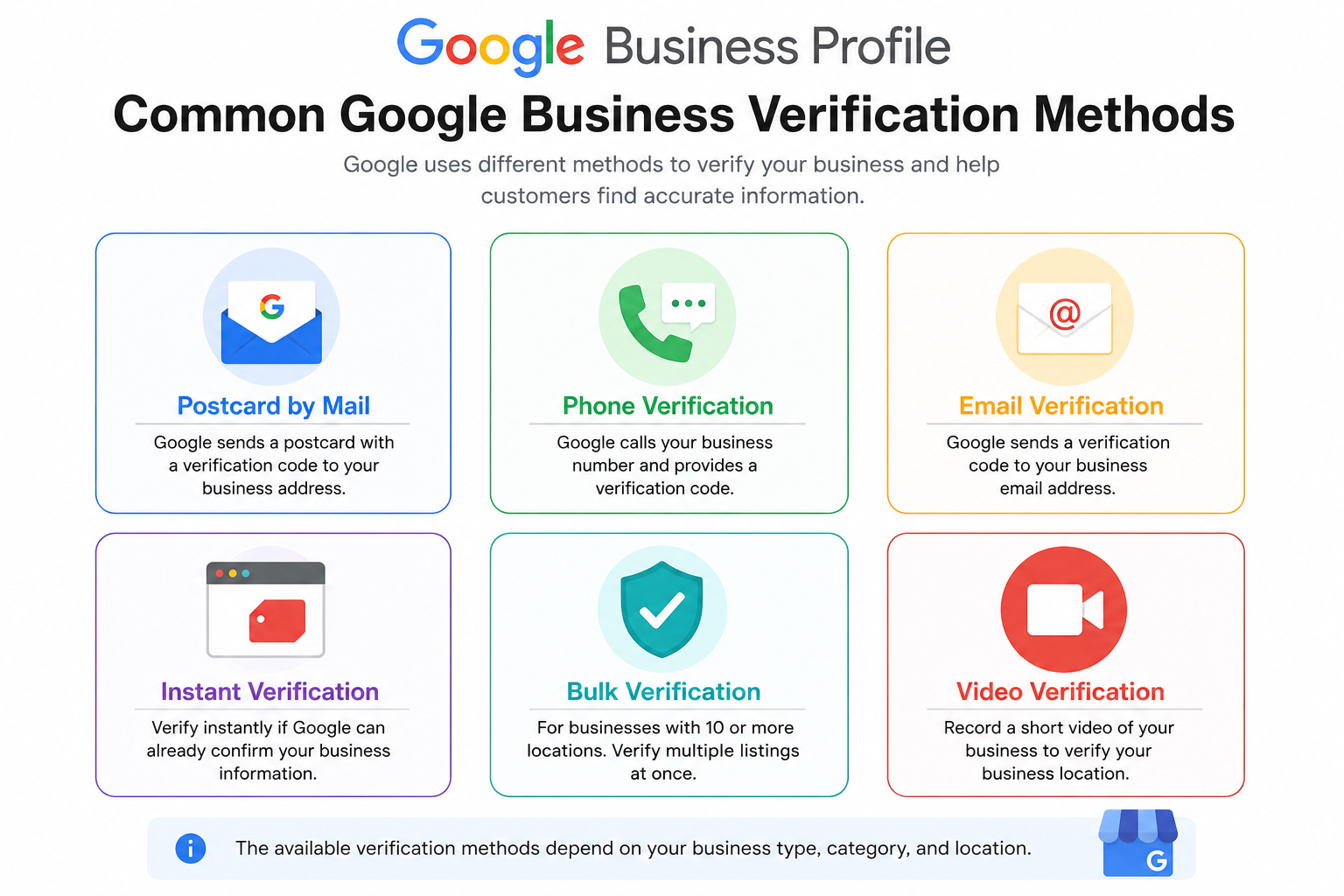
Google offers a few different ways to verify your business.
The options depend on your business type and location.
Postcard Verification
This is the most common method.
Google mails a postcard with a verification code to your business address.
Steps:
- Request the postcard
- Wait for delivery (usually 5-14 days)
- Enter the code in your Google Business dashboard
Phone Verification
Some businesses can verify by phone.
Google sends a code through a call or text message.
Email Verification
Certain businesses can verify using an email connected to their domain.
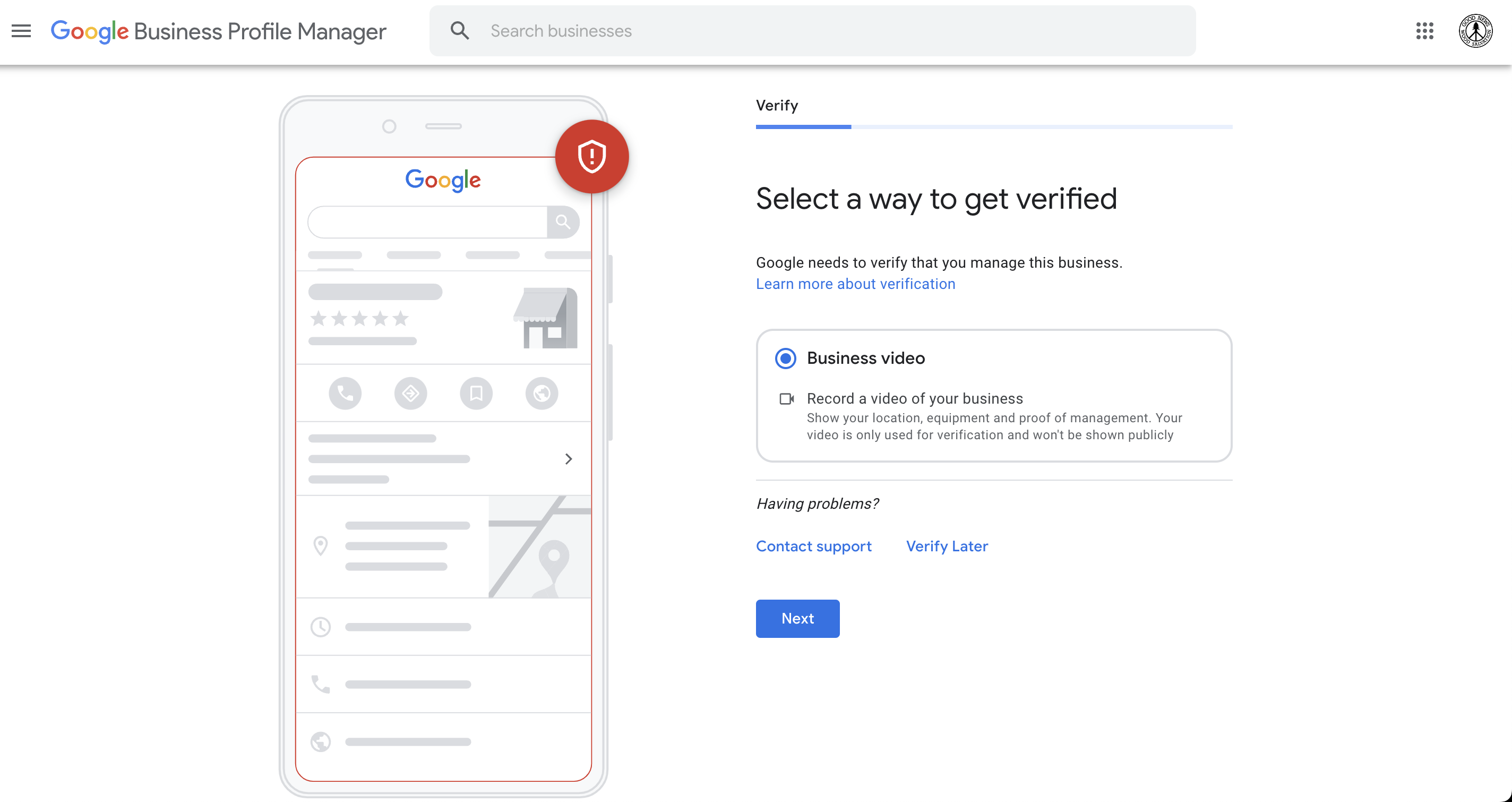
Video Verification
Recently, Google started using video verification.
You may need to record a short video showing:
- proof you manage the location
- your storefront
- signage
Step-by-Step: How to Verify Your Google Business Profile

Step 1: Sign Into Google Business Profile
Go to the official page:
https://www.google.com/business
Log in with the email that manages your business.
Here’s the basic process.

Step 2: Add Your Business
Enter:
- category
- business name
- address
- phone number

Step 3: Choose Verification Method
Google will show available options such as:
- video
- postcard
- phone

Step 4: Enter the Code
Once you receive your code, enter it in the dashboard.
Your listing will usually be verified within minutes.


What to Do if Google Business Verification Fails
Sometimes verification doesn’t work the first time.
Common problems include:
- incorrect business address
- duplicate listings
- verification code expired
- Google policy issues
If that happens, you can contact support through the Google Business Profile Help Community or the official help center.
Official support guide:
https://support.google.com/business

Tips to Verify Your Business Faster
Here are a few things that help the process go smoothly.
Use Your Real Business Address
Avoid virtual offices or PO boxes.
Google usually requires a physical location.
Make Sure Your Signage Matches
Your business name should match what’s on your website and storefront.
Keep Your Information Consistent
Use the same:
- phone number
- business name
- address
Consistency helps Google trust your listing.


Final Thoughts
Getting your listing verified might feel like a hassle at first.
But once you complete Google Business Profile verification, your business can finally show up properly in local search.
That means more visibility, more customers, and more trust online.
And honestly, once you get through the process once, it’s pretty straightforward the next time around.


Related Articles
- Google Business Profile Verification: The Easy Way to Get Approved
- Google Business Profile Suspended? Here’s How to Restore It
- How to Remove Fake Google Reviews (Step-by-Step Guide)
- Do Google Reviews Help SEO? Here’s the Truth
- Local SEO Made Easy With Google Business Profile Optimization
- How to Get More Calls From Your Google Business Listing
- How to Upload Photos to Google Business Profile Easily
- How to Rank Higher on Google Maps (Simple Local SEO Guide)
- How to Contact Google Business Profile Support
- How to Use the Google Business Profile Help Community
- How to Search Google Reviews by Name ( The Easy Beginners Guide)
- Harassment or Offensive Content in Google Reviews (How to Report It)
- How Do I Contact Google Business Support Live Chat (Fast & Easy Guide for Business Owners)

Latest Articles










