


What website features increase conversions?
The website features that increase conversions most are mobile responsiveness, fast loading speed, simple navigation, strong call-to-action buttons, trust signals, clear contact information, and easy lead capture forms. These features help visitors trust your business, find what they need quickly, and take action.
A good-looking website is not enough.
If your website does not help people trust you, understand what you offer, and take the next step, it will struggle to convert visitors into leads or customers.

The right website features do more than make your site look professional. They help your business load faster, rank better, feel easier to use, and turn more clicks into calls, form fills, and sales.
This guide breaks down the most important website features for higher conversions, what to prioritize first, and how to avoid the mistakes that quietly cost small businesses business every day.
Get More Google Reviews for Your Business
Improve your online reputation, build trust, and attract more customers with Google review management made for small businesses.


Who This Website Features Checklist Is For
This guide is especially helpful if you are:
- a small business owner with an outdated website
- getting traffic but not enough leads
- building a new site and want the right setup from the start
- trying to improve trust, user experience, and conversion rate
- unsure which website features matter most
If that sounds like you, start with the essentials first. You do not need every advanced tool. You need the right features in the right order.
A fast-loading website can feel more trustworthy
People judge your business in seconds. If your site loads slow, many visitors leave before they even read a word. Mobile-friendly

Why Website Features Matter for Conversions
Your website should make it easy for a visitor to do three things:
- understand what your business does
- trust your business
- take action
When key features are
missing, people hesitate. They leave without calling, booking, or buying.
A high-converting website usually feels:
- fast
- simple
- trustworthy
- mobile-friendly
- easy to contact
Page Speed Optimization: How to Make Your Website Lightning Fast
Get More Google Reviews for Your Business
Improve your online reputation, build trust, and attract more customers with Google review management made for small businesses.

Core Website Features Every Small Business Site Needs
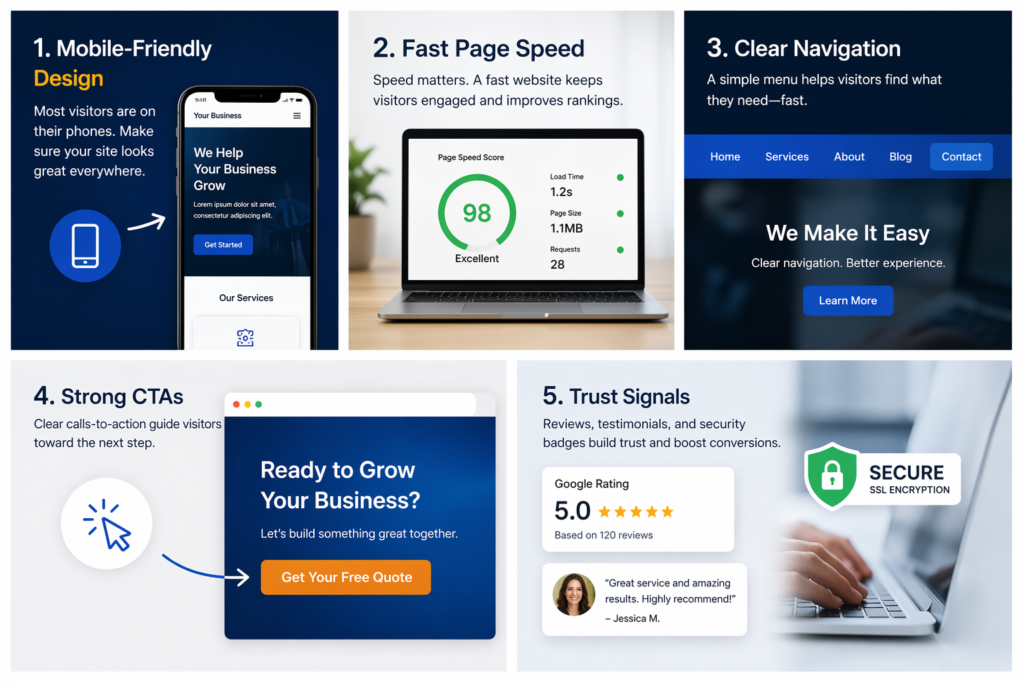
1. Mobile Responsiveness
Most visitors are not viewing your website on a desktop first. They are on a phone.
If your site is hard to read, slow to load, or awkward to use on mobile, you will lose people quickly.

What to check:
- text is easy to read on a phone
- buttons are large enough to tap
- images resize properly
- menus work cleanly on mobile
- forms are simple to complete
Why it matters:
A mobile-friendly site helps reduce frustration and keeps users engaged longer.
2. Fast Loading Speed
Slow websites lose attention fast.
If your pages take too long to load, visitors may leave before they even see your offer.
Quick improvements:
- compress large images
- remove unnecessary plugins
- use caching
- clean up bloated code
- choose reliable hosting
Why it matters:
Speed affects user experience, bounce rate, and your ability to turn traffic into leads.
3. Simple Navigation
People should know where to click without thinking too hard.
A clean navigation menu makes your website easier to use and helps visitors move toward action.
Your main menu should usually include:
- Home
- About
- Services
- Contact
Depending on your business, you may also want:
- Reviews
- Pricing
- FAQ
- Blog
Why it matters:
Confusing navigation causes drop-off. Clear navigation helps people find what they need faster.
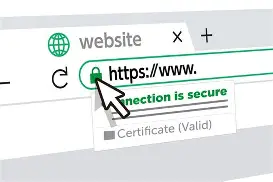
4. Secure SSL Certificate
A secure site matters for trust.
If your website still shows as not secure, some visitors may leave right away.
Make sure your site:
- uses HTTPS
- has a valid SSL certificate
- does not trigger browser warnings
Why it matters:
Security builds confidence and supports better website credibility.
Conversion-Focused Website Features That Help Generate Leads
5. Strong Call-to-Action Buttons
Every important page should tell the visitor what to do next.

That next step might be:
- book a call
- request a quote
- get started
- contact us
- try it free
Good CTA examples:
- Get Started
- Book a Free Consultation
- Request a Quote
- Build Your Website Free
- Start Planning Your Social Media
Why it matters:
Without a clear CTA, visitors may leave without taking action.
Start Your Website Today for Free
Ready to build a small business website that works harder for you?

6. Lead Capture Forms
A form should make it easy to contact you, not feel like work.
Best practices:
- keep fields short
- ask only for what you need
- make the form easy to use on mobile
- place forms on key pages
- give people a reason to submit
Good fields to start with:
- name
- phone
- business name
- short message
Why it matters:
Simple forms increase the chances that a visitor becomes a lead.
7. Clear Contact Information
Do not make people hunt for your contact details.
Your site should clearly show:
- phone number
- email address
- contact form
- business location if relevant
You can also add:
- business hours
- social profiles
- Google Business Profile link
Why it matters:
Easy contact options remove friction and increase trust.

8. Trust Signals
People want proof before they choose a business.
Trust signals can include:
- Google reviews
- testimonials
- case studies
- before-and-after examples
- client logos
- years in business
- certifications
Why it matters:
Trust signals reduce doubt and make it easier for visitors to feel confident about contacting you.
One of the strongest trust signals you can build is a better review profile. Learn how a google review management service helps businesses get more real reviews, respond well, and build trust faster.
Advanced Website Features That Support Growth

9. Live Chat or Instant Messaging
Some visitors want fast answers before they commit.
Live chat or messaging can help with:
- basic questions
- appointment requests
- support
- lead capture
Why it matters:
Quick communication can improve response rates and help recover leads that might otherwise leave.
10. CRM Integration
As your business grows, you need a system to organize leads.
A CRM can help you:
- track inquiries
- follow up faster
- manage customer relationships
- automate reminders
Why it matters:
It is easier to convert leads when they do not get lost.
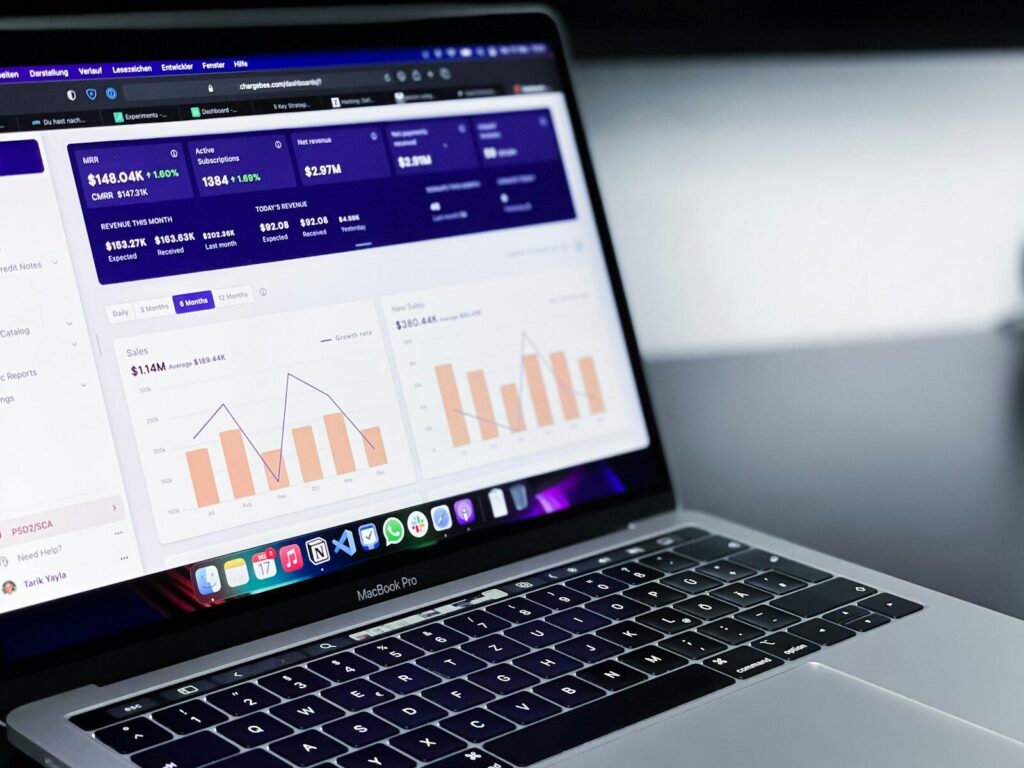
11. Analytics and Behavior Tracking
You cannot improve what you do not measure.
Use analytics tools to understand:
- where traffic comes from
- which pages people visit
- where users drop off
- which forms convert
Why it matters:
Analytics help you make smarter website decisions instead of guessing.

12. Personalization and Smarter User Experience
This is more advanced, but powerful.
Examples include:
- location-based content
- personalized offers
- dynamic recommendations
- returning-user messages
Why it matters:
Personalization can improve relevance and make the site feel more useful.
Website Features Checklist for Higher Conversions
Use this as a quick checklist:
| Website Feature | Why It Matters | Quick Check |
|---|---|---|
| Mobile-friendly design | Helps visitors use your site easily on phones and tablets | Does the site look and work well on mobile? |
| Fast page speed | Reduces drop-offs and keeps users engaged | Do pages load quickly? |
| Clear navigation | Helps visitors find what they need fast | Is the menu simple and easy to follow? |
| SSL security | Builds trust and protects user data | Does the site use HTTPS? |
| Strong CTA buttons | Guides users toward the next step | Are your calls to action clear and visible? |
| Simple lead forms | Makes it easier for visitors to contact you | Are forms short and easy to fill out? |
| Visible contact information | Increases trust and reduces friction | Can visitors quickly find your phone, email, or contact page? |
| Reviews and testimonials | Builds credibility and trust | Do you show real customer feedback? |
| Live chat or messaging | Gives users a fast way to ask questions | Is there an easy instant-contact option? |
| CRM integration | Helps track and manage leads | Are leads being captured and organized properly? |
| Analytics setup | Shows what is working and what needs improvement | Are GA4 or other tracking tools installed? |
| User-friendly page layout | Makes content easier to read and act on | Is the page clean, scannable, and uncluttered? |
If your website is missing several of these, there is a good chance it is underperforming.
Free Web Design Cost Calculator: Get an Instant Estimate for Your Website Budget!


Common Website Feature Mistakes That Hurt Conversions
Too Many Features
More is not always better.
Too many tools, pop-ups, animations, or widgets can slow the site down and distract from the main action.
Weak CTAs
If your buttons are vague or buried, users may not know what to do next.
Poor Mobile Experience
A site that looks fine on desktop but feels clumsy on mobile will lose business.
Cluttered Layout
If the page feels crowded or hard to scan, people leave faster.
No Testing or Tracking
If you are not checking what works, you may keep guessing instead of improving.

How to Choose the Right Website Features for Your Business
Ask these questions:
- What is the main goal of my website?
- Do I want more calls, form submissions, bookings, or sales?
- What information do my visitors need before they trust me?
- What is making it harder for them to take action?
- Which features actually support my business goals?
Start with the essentials. Then add advanced tools only when they solve a real problem.

Best Website Features by Business Goal
If you want more leads
Focus on:
- strong CTAs
- simple forms
- clear services pages
- trust signals
- visible contact info
If you want better user experience
Focus on:
- speed
- mobile optimization
- clear navigation
- cleaner layout
If you want better follow-up
Focus on:
- CRM integration
- form tracking
- live chat
- analytics
If you want a more professional brand
Focus on:
consistent messaging
modern design
testimonials
case studies
secure browsing

When to Update Your Website Features
Update your website when:
- your site feels outdated
- traffic is not converting
- pages load slowly
- mobile experience is poor
- your business has changed
- you have no clear CTA strategy
- visitors are not contacting you
A website should evolve with your business.

Need Help Improving Your Website?
If your site looks fine but is not bringing in enough leads, the problem may be the features, layout, or conversion path.
A better website is not just about design. It is about building a site that helps visitors trust you, take action, and become customers.
Need help improving your small business website?
Start with the features that matter most, then build a site that actually supports growth.

FAQ
What are the most important website features?
The most important website features are mobile responsiveness, fast loading speed, clear navigation, strong CTAs, trust signals, and simple contact options.
What website feature helps conversions the most?
Strong call-to-action buttons and easy lead capture forms usually have the biggest direct effect on conversions.
Can too many website features hurt performance?
Yes. Too many features can slow down your site, distract users, and create a poor experience.
Do small business websites need advanced tools?
Not always. Most small business websites should start with the essentials, then add tools like CRM integration or live chat when needed.
How often should I review my website features?
Review your website at least every few months, especially if traffic is not converting or your business goals have changed.

Conclusion
The right website features can make the difference between a site that simply gets traffic and one that actually generates leads.
Mobile responsiveness, speed, clear navigation, visible trust signals, and strong calls to action all help guide visitors toward the next step. These are not just design upgrades. They are practical improvements that help increase trust, improve user experience, and boost conversions.
If your website is not bringing in enough calls, inquiries, or sales, the problem may not be your traffic. It may be the way your site is set up. By improving the features that matter most, you give your business a better chance to turn more visitors into real customers.
Start Your Website Today for Free
Need a website that brings in more leads?

Related Articles
Latest Articles
-

Google Review Removal Service That Protects Your Reputation and Builds Trust
Can Negative Google Reviews Damage a Healthcare Organization? A sudden wave of negative Google reviews can seriously damage the reputation of a nursing home or medical practice. Families researching nursing homes often compare ratings, recent reviews, management responses, photographs, and overall review activity before scheduling a tour. Patients may perform the same research before choosing…
-

Google Review Management Agency That Helps Businesses Build Trust and Get More Customers
People trust Google reviews before they trust advertisements. Before contacting your business, potential customers usually search your company online and ask themselves one important question: “Can I trust this business?” That answer often comes from your reviews. Customers look at: If your business has weak reviews, outdated feedback, or unanswered complaints, customers may choose a…
-

How to Get New Patients in New York With Google Reviews
Your next patient in New York may decide whether to call your practice before ever speaking to your staff. Today, patients search, compare, and read reviews before choosing care. A 2025 survey found 84% of patients check online reviews before choosing a new healthcare provider. In 2026, 75% said they wouldn’t book with a provider…







