

Patients do not visit a medical website just to admire its design. They want quick answers.
Does the practice provide the service they need? Is the provider trustworthy? Where is the office located? Can they schedule an appointment without calling several times?
Minimalist healthcare website design helps answer these questions without overwhelming visitors. It removes unnecessary distractions and guides patients toward the information and actions that matter most.
The “twist” comes from adding memorable elements—such as a distinctive color, authentic provider photography, bold typography, or subtle animation—without sacrificing clarity, accessibility, or Page Speed.
A clean website can also support a larger local SEO strategy. When the website, Google Business Profile, Google reviews, and service pages work together, a healthcare practice can strengthen its Online Presence, attract qualified website traffic, and turn more searches into appointment requests.
What Is Minimalist Healthcare Website Design?
Minimalist healthcare website design uses clear layouts, simple navigation, readable text, intentional spacing, and focused calls to action.
It does not mean creating an empty or boring website. It means removing anything that does not help the patient understand the practice or take the next step.
A minimalist medical website normally includes:
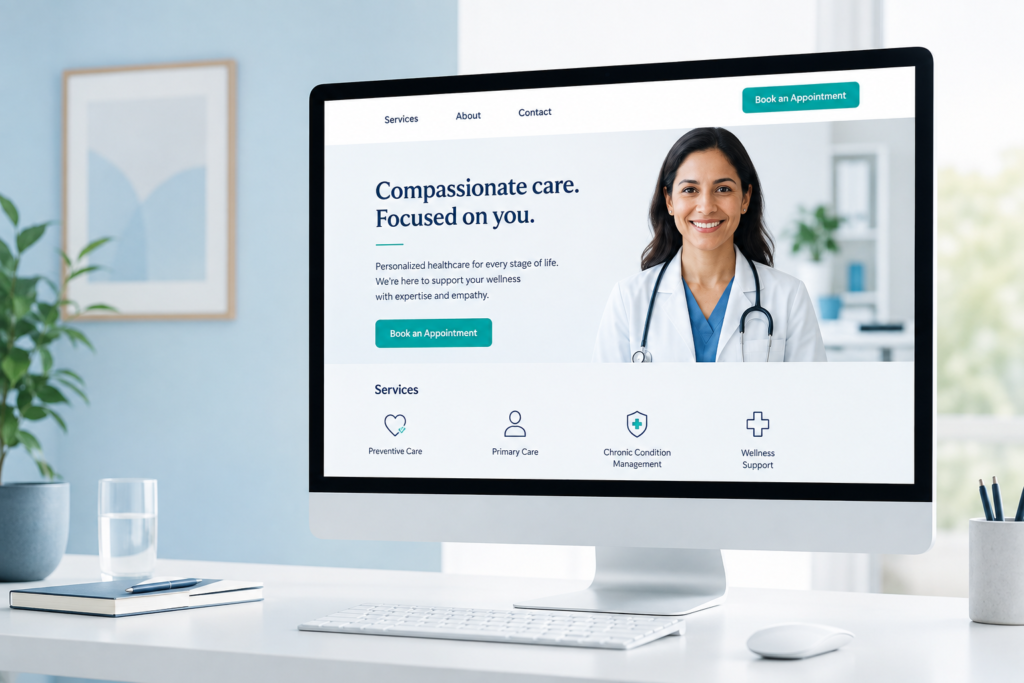
A minimalist medical website normally includes:
- A clear description of the practice
- The provider’s specialty and location
- A visible phone number
- An appointment button
- Organized service pages
- Provider credentials
- Office hours and directions
- Insurance or payment information
- Patient reviews and trust signals
- A mobile-friendly layout
The “twist” gives the website personality. A pediatric practice might use friendly illustrations, while a chiropractor may use authentic treatment photography and a bold accent color. A specialist may use clean typography and subtle movement to communicate expertise.
The goal is to be memorable without making the website difficult to use.
Why Simple Medical Websites Build Patient Trust
Healthcare decisions can already feel stressful. A cluttered website adds more confusion to that process.
Patients may leave when they encounter crowded menus, unreadable text, outdated information, aggressive pop-ups, slow pages, or appointment buttons that are difficult to find.
A minimalist website reduces that friction. It creates a clear path from the patient’s question to the practice’s answer.
Simple design can help a medical practice:
- Communicate its specialty immediately
- Make services easier to understand
- Highlight provider qualifications
- Display contact information clearly
- Improve mobile usability
- Direct attention toward appointment buttons
- Present Google reviews without clutter
- Create a calm and professional first impression
This is especially important for physicians, chiropractors, dentists, therapists, rehabilitation centers, nursing homes, and other healthcare organizations. Patients and families are not only comparing medical services. They are comparing trust, convenience, communication, and accessibility.

Design Around Patient Search Intent
Search Intent describes what a person hopes to accomplish when entering a question into Google.
Someone searching “chiropractor near me” may want to compare nearby providers. Someone searching “does chiropractic treatment help back pain?” may still be researching. Another person searching “book chiropractor appointment Brooklyn” may be ready to schedule.
A healthcare website should provide content for each stage of this journey.
Informational intent
These visitors want answers. Create educational articles, treatment guides, frequently asked questions, and condition-related content.
Local intent
These visitors want a nearby provider. Create location pages containing the practice’s services, address, hours, phone number, directions, and neighborhood information.
Comparison intent
These visitors are evaluating options. Provider credentials, authentic patient feedback, treatment information, office photographs, and clear explanations can help build confidence.
Appointment intent
These visitors are prepared to act. Give them a visible appointment button, tap-to-call phone number, short contact form, and clear instructions.
Good minimalist design supports Search Intent by making the correct answer easy to find. It does not force every visitor through the same page or the same conversion path.
| Patient question | Website element that answers it | Recommended action |
|---|---|---|
| Does this practice provide the service I need? | Service page and homepage headline | Explain each primary service separately |
| Is the provider qualified? | Provider biography | List verifiable credentials and experience |
| Can I trust this practice? | Authentic reviews and office information | Show current, credible trust signals |
| Is the office near me? | Location page and Google Business Profile | Keep address, hours, and phone consistent |
| Can I schedule easily? | Appointment button and tappable number | Keep the main CTA visible on mobile |
| Will the website work on my phone? | Responsive layout and fast pages | Test mobile usability and Page Speed |
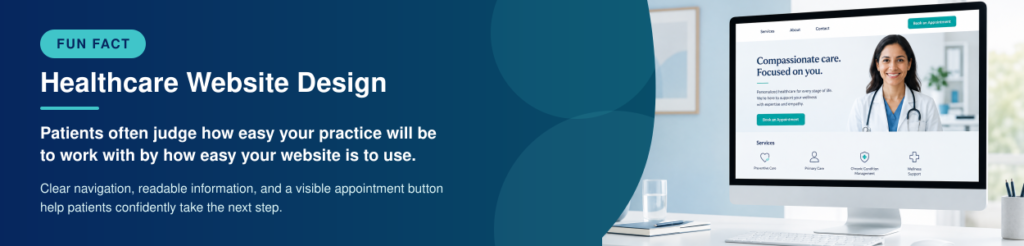
Seven Elements of an Effective Minimalist Medical Website
1. A clear opening message
The top of the homepage should explain what the practice does, whom it helps, and where it is located.
For example:
“Personalized Chiropractic Care for Back and Neck Pain in Brooklyn.”
That is more useful than a vague statement such as “Welcome to Our Website.”
2. One primary call to action
Choose one main action, such as “Book an Appointment,” “Call the Office,” or “Request a Consultation.” Display it prominently instead of making every button compete for attention.
3. Simple navigation
Most medical practices do not need complicated menus. Services, Providers, About, Reviews, Patient Resources, and Contact may be enough.
4. Readable typography
Use fonts that are easy to read on phones and computers. Avoid tiny text, decorative fonts for body copy, or low-contrast colors.
5. Authentic photographs
Real images of the providers, staff, office, and treatment environment usually build more trust than unrelated stock photography.
6. Visible trust signals
Provider credentials, affiliations, patient reviews, accepted insurance, professional memberships, and years of experience can help patients feel more confident.
7. Accessible contact options
Make the phone number tappable, keep forms short, label buttons clearly, and ensure important functions can be used with a keyboard or assistive technology.
The Lookhin4 CLEAR Patient Website Framework
Lookhin4 uses the CLEAR Patient Website Framework to evaluate whether a healthcare website helps prospective patients find information, build trust, and take action.
| CLEAR category | What to evaluate | Signs it is working |
|---|---|---|
| C — Clarity | Can visitors quickly identify the specialty, services, location, and patients served? | Clear headline, organized services and understandable language |
| L — Local Visibility | Does the website support the practice’s local SEO strategy? | Accurate contact information, location pages, local keywords and an optimized Google Business Profile |
| E — Evidence of Trust | Does the website provide authentic reasons to trust the practice? | Provider credentials, affiliations, office photographs, patient reviews and clear care information |
| A — Accessibility and Action | Can visitors use the website and take the next step easily? | Readable text, simple navigation, tappable phone number and visible appointment button |
| R — Responsiveness and Reputation | Does the website perform well across devices and connect with an actively managed reputation? | Fast Page Speed, mobile-friendly design, recent reviews and professional review responses |

How Google Reviews Strengthen a Healthcare Website
Patients may discover a practice through Google Maps, read several reviews, and then visit the website before making a decision.
That means the website and Google Business Profile should communicate the same level of trust.
A Good Google Review often describes a genuine part of the patient experience, such as professional communication, helpful staff, a clean office, clear explanations, reasonable wait times, or a smooth appointment process.
A practice should not copy private medical details onto its website or reveal protected information when responding to public feedback. Instead, it can display approved testimonials, link visitors to its public Google reviews, and use general trust-building language.
The website should also make it easy for real patients to find the practice’s review link after receiving care. Review requests should be consistent, voluntary, and sent without asking patients to leave only positive feedback.
A strong review strategy does more than increase a number. It helps a practice understand what patients appreciate, identify repeated service problems, and build a more trustworthy digital experience.
Why Chiropractors’ Google Reviews Matter
Chiropractors often compete for patients within a limited geographic area. When someone searches for help with back pain, neck pain, posture problems, or injury recovery, Google may show several nearby offices.
The patient may compare:
- Appointment availability
- Average star ratings
- Total review count
- Recent reviews
- Office responses
- Website quality
- Location and hours
- Provider experience
This is why Chiropractors’ Google Reviews can influence both visibility and trust.
A chiropractor with a clear website and recent, authentic feedback may appear more active and approachable than a competitor with an outdated website and reviews that have not been answered.
The website should support that reputation by explaining treatments in plain language, introducing the chiropractor, answering common questions, and providing an easy appointment path.
Google Review Management for chiropractors should be part of a complete strategy—not a separate shortcut. The strongest approach combines authentic review requests, professional monitoring, thoughtful responses, Google Business Profile optimization, and patient-friendly website content.
Why Buying Google Reviews Is a Dangerous Shortcut
Buying Google reviews may appear to be a fast way to improve a rating, but it can create serious reputation problems.
Google requires reviews to represent genuine experiences. Paid reviews, incentivized ratings, coordinated review activity, and content posted from fake accounts may be removed under Google’s fake-engagement policies.
Suspicious review patterns can also damage patient trust. People may question a profile that suddenly receives many vague five-star ratings, especially when the reviewers have no local history or the comments do not mention realistic experiences.
Healthcare organizations have even more reason to protect their credibility. Patients and families are making decisions that may affect their health, comfort, and safety. Manufactured feedback can undermine the trust a practice is trying to build.
A better approach is to:
- Ask real patients for honest feedback
- Make the review process convenient
- Train staff to send requests consistently
- Never offer rewards for positive reviews
- Monitor new feedback
- Respond professionally without revealing private information
- Use negative feedback to improve the patient experience
Authentic reviews may grow more slowly, but they create a stronger and more sustainable reputation.
Connect Website Design to Your Local SEO Strategy
A well-designed website cannot generate appointments if local patients cannot find it.
A local SEO strategy helps search engines understand what the practice offers, where it is located, and which searches its pages should answer.
Google explains that local results are mainly influenced by relevance, distance, and prominence. A practice cannot pay Google for a better organic local position, but it can improve the accuracy, usefulness, and consistency of its Online Presence.
A healthcare Local SEO strategy may include:
- An accurate Google Business Profile
- Consistent name, address, and phone information
- Individual service pages
- Useful location information
- Provider biographies
- Relevant healthcare content
- Authentic Google reviews
- Professional review responses
- Mobile-friendly website design
- Fast-loading pages
- Internal links between related resources
- Mentions and Backlinks from trusted websites
The website and Google Business Profile should support one another. Services listed on the profile should be explained on the website. Office hours and contact information should match. Location pages should help patients understand how to reach the practice.
Minimalist design makes this information easier for both patients and search engines to understand.
Google’s local-ranking guidance discusses relevance, distance, and prominence. How Google determines local rankings
How Minimalist Design Can Enhance Website Traffic
Design does not create search demand by itself. However, a fast, organized, and useful website can make SEO and content marketing more effective.
To Enhance Website Traffic, a healthcare practice needs pages that match what prospective patients are searching for.
This may include:
- Appointment and contact pages
- Service pages for each major treatment
- Provider profile pages
- Location and service-area pages
- Frequently asked questions
- Patient preparation guides
- Insurance information
- Educational articles
Each page should focus on a clear topic and Search Intent. A page about chiropractic treatment for back pain should answer that question directly instead of mixing unrelated treatments into one long page.
Internal links can guide readers from educational articles to the appropriate service or appointment page. Helpful content may also earn Backlinks when other websites cite it as a resource.
Traffic should not be the only measurement of success. A practice should also track appointment clicks, calls, contact-form submissions, directions, and visits to important service pages.
The goal is not to attract everyone. It is to attract the people who are most likely to need and trust the practice.
Use Google Search Console and a Rank Tracker to Measure Progress
Google Search Console helps website owners understand how their pages perform in Google Search.
Its performance reports can show:
- Search queries that produced impressions
- Pages receiving clicks
- Click-through rates
- Average search positions
- Performance by device
- Performance by country
This information can reveal whether an article is matching the intended Search Intent.
For example, if a chiropractic page receives impressions for “back pain chiropractor Brooklyn” but few clicks, the title and description may need improvement. If the page attracts unrelated searches, its topic may be too broad.
A Rank Tracker provides a different view. It can monitor selected keywords over time and help a practice compare movement for terms such as:
- Chiropractor near me
- Brooklyn chiropractic office
- Medical practice website design
- Physician Google review management
- Local SEO for healthcare
- Nursing home reputation management
Rank tracking should not become the only measure of performance. Search results can vary by location, device, and individual context.
Use Google Search Console to understand actual impressions and clicks. Use a Rank Tracker to monitor selected keywords. Combine those findings with calls, appointment requests, and website engagement to understand whether the strategy is producing business results.

Why Page Speed Matters for Medical Websites
A visually attractive website can still fail when it loads slowly.
Patients may be searching from a phone, using a limited connection, or trying to make a quick decision. Large images, unnecessary plugins, auto-playing videos, and heavy animations can delay the information they need.
Page Speed affects the experience before the patient reads a single word.
Google’s Core Web Vitals evaluate real-world loading performance, responsiveness, and visual stability. These measurements do not guarantee a top ranking, but Google recommends good Core Web Vitals for search success and a better user experience.
Medical practices can improve speed by:
- Compressing photographs
- Using modern image formats
- Removing unused plugins
- Limiting animation
- Reducing unnecessary scripts
- Enabling caching
- Using reliable hosting
- Testing important pages on mobile
- Preventing images and buttons from shifting while loading
Minimalism only improves performance when it is built efficiently. A simple-looking website can still be slow if it contains oversized files or poorly optimized code.
The best “twist” is one that adds personality without delaying the appointment button.
Google recommends good Core Web Vitals and identifies loading, responsiveness, and visual stability as important aspects of user experience. Google Core Web Vitals documentation
How Backlinks Support Healthcare Visibility
| Backlink source | Content or opportunity | Potential benefit |
|---|---|---|
| Professional associations | Member profile or expert contribution | Builds professional credibility |
| Local business organizations | Business listing or community feature | Improves local visibility |
| Community partners | Shared resource or partnership page | Reaches relevant local audiences |
| Healthcare directories | Accurate provider or facility listing | Helps patients discover the practice |
| Local news coverage | Healthcare commentary or community story | Builds awareness and authority |
| Educational resources | Patient guide or treatment explanation | Creates useful, citable content |
| Sponsorship pages | Local event or community sponsorship | Earns locally relevant mentions |
| Provider interviews | Expert interview, podcast, or article | Demonstrates firsthand expertise |
| Original research | Survey, study, or local report | Creates highly citable information |
| Community reports | Local healthcare statistics or resources | Attracts links from local organizations |
Common Medical Website Design Mistakes
Using unclear headlines
Statements such as “We Care About You” sound friendly but do not explain the specialty, service, or location.
Adding too many animations
Movement on every section can feel distracting and may reduce Page Speed.
Using unrelated stock images
Generic photographs may make a practice appear less personal. Authentic provider and office images can create a stronger connection.
Publishing thin service pages
A few sentences may not answer patient questions or match Search Intent. Each important service deserves a useful explanation.
Ignoring Google reviews
The website may look professional while the Google profile contains unanswered reviews, outdated information, or little recent activity.
Making unsupported medical promises
Avoid claims that guarantee outcomes. Focus on services, experience, process, education, and the type of support the practice provides.
Forgetting accessibility
Low-contrast text, tiny fonts, unclear buttons, missing image descriptions, and keyboard-navigation problems can prevent people from using the website.
Tracking rankings without tracking appointments

Minimalist Healthcare Website Checklist
Use this checklist to evaluate your current website:
- Is the practice’s specialty immediately clear?
- Is the primary location visible?
- Is the phone number easy to tap?
- Is the appointment button above the fold?
- Can patients find every major service?
- Does each provider have a useful biography?
- Are office hours accurate?
- Is insurance information easy to find?
- Does the site display well on a phone?
- Are text and buttons easy to read?
- Do pages load quickly?
- Are photographs authentic and optimized?
- Are Google reviews incorporated appropriately?
- Does the website link to the correct Google Business Profile?
- Does every important page have a clear call to action?
- Does the content match patient Search Intent?
- Is Google Search Console connected?
- Are conversions being measured?
- Does the website support the larger local SEO strategy?
- Are there helpful resources capable of earning Backlinks?
If several answers are “no,” the practice may not need a larger website. It may need a clearer, faster, and more focused one.

Simple Design Should Produce a Clear Result
Minimalist healthcare website design is not about following a temporary visual trend. It is about helping patients find answers, develop trust, and take the next step with less confusion.
The strongest medical websites combine simple navigation, clear service information, authentic photography, fast Page Speed, accessible layouts, and visible appointment options.
However, design is only part of the patient journey.
A healthcare practice also needs an accurate Google Business Profile, authentic Google reviews, useful content, a focused local SEO strategy, Google Search Console data, and a consistent Online Presence.
When these elements work together, a practice can attract more relevant traffic and turn more local searches into real opportunities.
Get found. Build trust. Grow your practice.

Frequently Asked Questions
What is minimalist healthcare website design?
Minimalist healthcare website design removes unnecessary distractions and focuses attention on services, provider information, contact details, trust signals, and appointment actions.
Can a minimalist website improve SEO?
Minimalism alone does not guarantee higher rankings. However, simple navigation, organized content, mobile usability, accessibility, and strong Page Speed can support a better user experience and a more effective SEO strategy.
Should a medical practice display Google reviews on its website?
A practice may display approved testimonials or connect visitors with its public reviews. It should avoid revealing private patient information and should never imply that every patient will receive the same outcome.
Is buying Google reviews allowed?
No. Google prohibits reviews that have been paid for or incentivized. Healthcare practices should request voluntary, honest feedback from people with genuine experiences.
How can chiropractors get more Google reviews?
Chiropractors can create a consistent process for requesting honest feedback after appropriate patient interactions. Requests should be convenient, voluntary, and never limited only to patients expected to leave positive ratings.
What does Google Search Console measure?
Google Search Console reports information such as search impressions, clicks, queries, pages, click-through rates, and average positions.
Do Backlinks help a medical practice’s website?
Relevant Backlinks can send referral traffic, support content discovery, and strengthen the practice’s broader online visibility. Quality and relevance are more valuable than purchasing large quantities of low-quality links.
How often should a healthcare website be updated?
Important information should be corrected whenever services, providers, hours, contact information, policies, or locations change. Performance, Search Console data, Page Speed, conversions, and content should also be reviewed regularly.


- Continue improving your healthcare website, Local SEO, and Google review strategy:
- How Many Google Reviews Should a Medical Practice Have?
Learn how review count, quality, and recency can affect patient confidence. - Why Your Medical Practice Isn’t Ranking in Google Maps
Discover the common issues that prevent healthcare practices from gaining local visibility. - Google Review Strategy for Chiropractors That Drives Growth
See how chiropractors can build trust and request more authentic patient feedback. - How Google Maps Helps Medical Offices Get More Patients
Understand how a properly managed Google presence can generate more patient discovery. - Page Speed Optimization: How to Make Your Website Faster
Learn practical ways to improve loading performance and user experience. - Local SEO Made Easy With Google Business Profile Optimization
Build a stronger foundation for Google Maps and local search visibility. - Proven Strategies to Build a Powerful Online Presence
Connect your website, content, search visibility, and reputation strategy. - SEO Service Page Optimization Checklist
Improve individual service pages with stronger keywords, internal links, trust signals, and calls to action.