

Creating an information model for a web page is a vital step in web design. It helps you plan the structure, content, and user experience (UX) of your site before diving into development. By using templates for information models, you can streamline this process, visualize your ideas clearly, and ensure your website meets the needs of both users and business goals.
In this article, we’ll explore why information models matter, how templates simplify the process, and how to use them effectively.
What Is an Information Model for a Web Page?
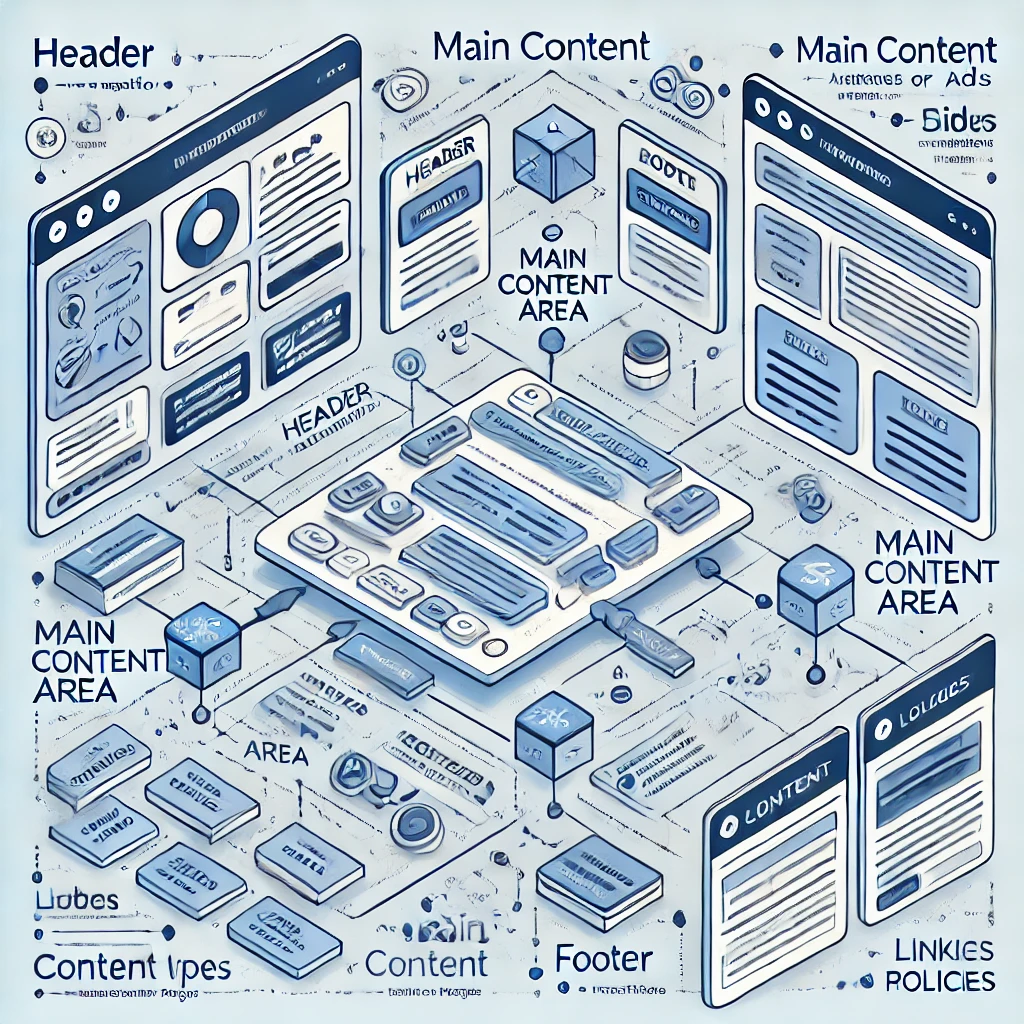
An information model is a strategic blueprint for designing the structure and content of a web page. It provides a clear map of how information will be organized, presented, and navigated, ensuring both usability and efficiency. By detailing the relationships between different elements, an information model helps guide the design and development process, resulting in a cohesive, user-friendly experience.
At its core, an information model outlines several critical aspects, such as:
- The hierarchy of information: This includes the arrangement of headings, subheadings, and sections to ensure content flows logically.
- Navigation pathways: Mapping out how users move through the page and access different areas of content.
- Content placement and prioritization: Highlighting the most important information and determining its ideal location on the page to capture attention and improve engagement.
Using Templates for Creating an Information Model for a Web Page simplifies this process by offering pre-defined frameworks that can be customized to suit specific needs. These templates help standardize the layout, ensuring consistency across pages while saving time and reducing the margin for error. They are especially valuable for teams working collaboratively, as they provide a shared reference point for all contributors.

An effective information model ensures your website is accessible, visually appealing, and purpose-driven. For instance, when building a product landing page, the model may prioritize product descriptions and CTAs, while a blog page might focus on categorizing articles by topic. With Templates for Creating an Information Model for a Web Page, designers and developers can focus on refining user experiences rather than starting from scratch.
Ultimately, a well-constructed information model helps deliver a seamless experience for users and ensures your web pages achieve their goals. Whether you’re designing for conversion, education, or engagement, an information model is an essential tool in your web development toolkit.
Why Use Templates for Information Models?
1. Save Time and Effort
Using templates for creating an information model for a web page offers significant benefits that simplify and enhance the design process. These pre-built frameworks reduce the time and effort required to structure a web page by providing a ready-made starting point. With templates, there’s no need to start from scratch, allowing for faster iterations and updates. For example, a homepage template might include placeholders for key sections like a hero banner, product highlights, testimonials, and a footer, ensuring efficient organization.
- No need to start with a blank canvas.
- Faster iterations and updates.
Example: A pre-built template might include placeholders for a homepage with sections for a hero banner, product highlights, testimonials, and a footer.
2. Ensure Consistency Across Pages
Templates also promote consistency across multiple pages, maintaining uniform navigation, headings, and overall design. This cohesive approach enhances the user experience by ensuring every page aligns with the site’s visual and functional standards.
- Consistent navigation and headings.
- Cohesive look and feel across multiple pages.
3. Improve Collaboration
Additionally, templates improve collaboration between team members, enabling designers, developers, and content creators to work seamlessly on a shared framework, reducing miscommunication and fostering alignment.Designers, developers, and content creators can work on the same model.
- Reduces miscommunication and ensures everyone is on the same page.

4. Visualize Your Ideas
Another key advantage of templates is their ability to help visualize abstract ideas. By turning concepts into tangible layouts, they make it easier to spot design flaws, identify content gaps, and convey ideas to stakeholders or clients. This clear representation streamlines feedback and approvals, making templates invaluable tools for efficient, collaborative, and user-focused web design.
- Easier to spot potential design flaws or gaps in content.
- Helps clients or stakeholders understand the proposed layout.
How to Use Templates for Creating an Information Model
Step 1: Choose the Right Template
Select a template that matches the purpose of your page:
- Homepage Templates: Focus on navigation, hero sections, and key call-to-action (CTA) elements.
- Product Page Templates: Highlight product features, pricing, and customer reviews.
- Landing Page Templates: Prioritize conversion-focused elements like forms and CTAs.
Step 2: Customize the Template
Adapt the template to your specific needs:
- Add or remove sections based on your goals.
- Adjust placeholder text and visuals to reflect your brand.
- Use color codes or labels to mark different types of content (e.g., headings, images, links).
Step 3: Test the Model
Review the template to ensure it aligns with your user journey:
- Is the navigation intuitive?
- Are CTAs prominently placed?
- Does the structure flow logically?
Pro Tip: Share the model with team members or test users for feedback.
Popular Tools for Creating Information Model Templates
1. Wireframing Tools
Wireframing tools like Figma, Adobe XD, and Balsamiq are ideal for building and customizing templates.
- Drag-and-drop functionality.
- Options to add interactive elements for testing.
Adobe UX Design Hacks That Skyrocket Small Biz Growth
2. Website Builders
Platforms like Wix and Squarespace offer pre-designed templates that double as information models.
- Great for beginners.
- Easy to adapt for simple projects.
3. Diagram Tools
Use tools like Lucidchart or Microsoft Visio to create hierarchical diagrams for your site’s structure.
- Perfect for outlining complex navigation.
- Visualize relationships between pages and sections.
Ethical Considerations When Using Templates
While templates are powerful tools, ensure you:
- Avoid copyright issues by using licensed or open-source templates.
- Customize templates to suit your unique goals and audience.
- Stay user-focused, prioritizing accessibility and functionality.
Creating an information model with templates ensures your web design process is efficient, effective, and collaborative. Whether you’re designing for a client, building a personal project, or experimenting with ideas, templates provide the structure you need to succeed. Let your creativity shine while staying organized—start with a template today! 🚀
Here’s your final conclusion with two relevant external links added for context and additional value:
Conclusion: Structure First, Success Follows
Creating an information model isn’t just a planning step—it’s the foundation of every successful web page. By using templates, you streamline your workflow, bring clarity to your design process, and stay aligned with both user needs and business goals. Whether you’re building a landing page, product showcase, or content hub, a well-structured model ensures your site is functional, focused, and conversion-ready from the start.
To dig deeper into user-centered design principles, check out Nielsen Norman Group’s guide to information architecture and Smashing Magazine’s article on content modeling for the web.
With the right tools and templates, you don’t have to guess what works—you can build it with confidence. So before you dive into design, take the time to model your ideas. You’ll move faster, collaborate better, and launch smarter.
Start with structure. Stay focused. Design with purpose.
Related Articles
Best Web Design Software for Beginners to Pros (Tried & Tested)
How Top Travel SEO Consultants Drive 3X More Traffic—And How You Can Too
How SEO Consulting Can Help Your Business Grow Online
Colbert Canceled: What It Means for Free Speech and Small Business








