Today’s healthcare professionals rely on smartphones and tablets for nearly every part of patient care. From communicating with physicians and documenting patient information to checking schedules and accessing electronic health records, mobile devices have become an essential part of daily operations.
However, unrestricted internet access on workplace devices can create unnecessary distractions, expose devices to security risks, and reduce productivity. For nursing homes, assisted living communities, home healthcare agencies, and medical practices, even a few minutes of lost productivity each day can add up over time.
Whether your facility provides company-issued phones or allows employees to connect to your Wi-Fi network, creating reasonable website restrictions can help maintain a professional work environment while protecting both staff and organizational resources.
In this guide, you’ll learn several ways to block websites on iPhones, Android devices, and workplace Wi-Fi networks. We’ll also discuss best practices for creating a mobile device policy that supports your staff while keeping patient care the top priority.
Why Healthcare Facilities Block Websites on Mobile Devices
Blocking websites isn’t about preventing employees from using the internet—it’s about ensuring workplace technology is used appropriately and securely.
Healthcare facilities handle sensitive patient information, operate under strict privacy regulations, and depend on efficient communication throughout the day. When company devices are used primarily for work-related activities, staff can remain focused on delivering quality patient care instead of dealing with unnecessary distractions.
Common reasons healthcare organizations choose to restrict certain websites include:
Reducing distractions during work hours
Limiting access to inappropriate or unsafe websites
Improving productivity among administrative and clinical staff
Protecting company-issued devices from malware and phishing attacks
Supporting workplace technology policies
Managing internet usage across shared tablets and smartphones
Improving network performance on facility Wi-Fi
Encouraging responsible use of company technology
Website restrictions should always be part of a broader tech
Website restrictions should always be part of a broader technology policy rather than the only security measure. Strong passwords, multi-factor authentication, software updates, employee training, and cybersecurity awareness all play important roles in protecting healthcare organizations from digital threats.
When implemented thoughtfully, website restrictions can help create a more productive workplace while allowing staff to focus on what matters most—providing exceptional care for patients and residents.
Benefits of Blocking Websites in Medical Practices and Nursing Homes
Every healthcare facility has one goal in common—providing excellent patient and resident care. While mobile devices have become essential tools for communication and documentation, unrestricted internet access can sometimes interfere with that goal.
Implementing reasonable website restrictions on company-issued devices isn’t about monitoring employees. It’s about creating a professional environment where technology supports patient care rather than becoming a distraction.
Facilities that implement clear mobile device policies often experience several operational benefits.
| Benefit | How Your Facility Benefits |
|---|---|
| Increased Productivity | Staff spend more time focused on patient care and daily responsibilities. |
| Better Cybersecurity | Reduces exposure to malicious websites, phishing attempts, and malware. |
| More Consistent Device Usage | Company-issued phones and tablets remain dedicated to work-related tasks. |
| Improved Wi-Fi Performance | Reduces unnecessary bandwidth consumption on facility networks. |
| Professional Workplace Environment | Supports clear expectations for technology use during working hours. |
| Reduced Security Risks | Limits accidental visits to unsafe or inappropriate websites. |
| Better Protection for Shared Devices | Keeps nursing stations, admissions offices, and administrative tablets focused on business use. |
| Easier IT Management | Standardized settings simplify ongoing device maintenance and troubleshooting. |
Website restrictions should never replace employee training or cybersecurity policies. Instead, they work alongside other security measures to help healthcare organizations maintain a safe, efficient, and productive workplace.
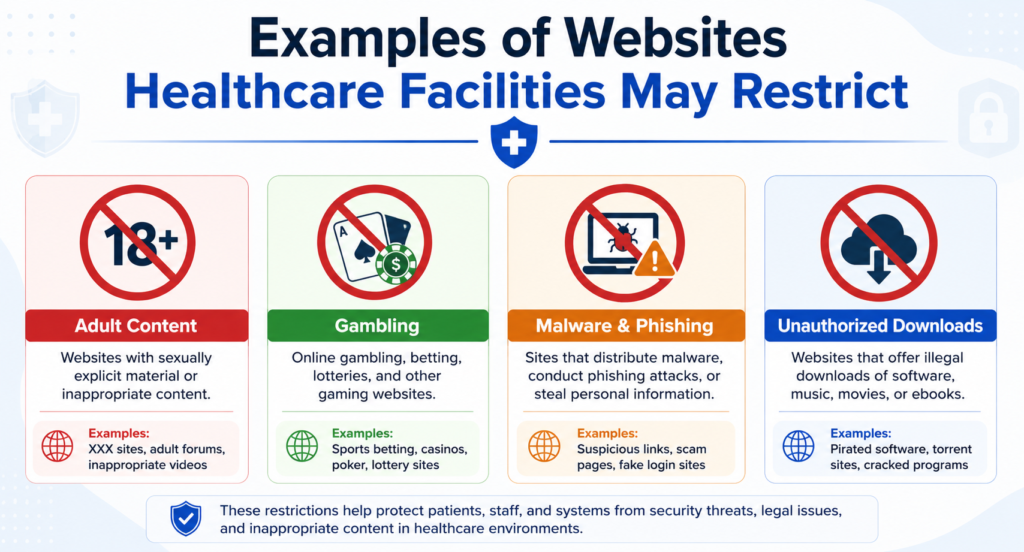
Common Websites Healthcare Facilities May Restrict
Every organization has different needs, so there isn’t a one-size-fits-all list of websites to block. The types of websites you choose to restrict should reflect your workplace policies, operational needs, and security requirements.
Many healthcare facilities choose to limit access to websites that are unrelated to patient care or daily operations.

Examples may include:
- Gambling websites
- Adult content
- Known phishing or malicious websites
- File-sharing websites not approved by your organization
- Streaming services that consume excessive bandwidth
- Unauthorized software download websites
- Cryptocurrency mining websites
- High-risk file hosting platforms
- Websites identified by your IT provider as security threats
Some organizations also restrict access to social media or entertainment websites on company-issued devices during working hours. Others may allow access only during scheduled breaks or on personal devices.
Before blocking any website, consider how it could affect employees who may legitimately need access for education, marketing, recruiting, or other approved business purposes.
A written technology policy helps ensure website restrictions are applied consistently and fairly across your organization.
Tip: If your facility has an IT provider or managed service provider (MSP), work with them to determine which websites should be restricted based on your organization’s cybersecurity policies.
How to Block Websites on an iPhone
Apple provides several built-in tools that allow administrators, parents, and device owners to restrict access to specific websites. These controls can be useful for company-issued iPhones used in medical practices, nursing homes, and other healthcare settings.
Block Websites Using Screen Time
- Open Settings.
- Tap Screen Time.
- Select Content & Privacy Restrictions.
- Turn Content & Privacy Restrictions on.
- Tap Content Restrictions.
- Select Web Content.
- Choose Limit Adult Websites or Allowed Websites Only.
- To block a specific website, tap Add Website under Never Allow.
- Enter the website address you want to block.
- Exit Settings. The restriction takes effect immediately.
Using Mobile Device Management (MDM)
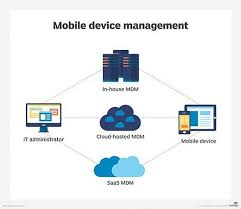
If your healthcare facility manages multiple iPhones, consider using a Mobile Device Management (MDM) platform. MDM software allows administrators to:
- Apply website restrictions across multiple devices
- Configure security settings remotely
- Install approved applications
- Remove unauthorized apps
- Monitor compliance with organizational policies
- Manage company-owned devices from a centralized dashboard
This approach is often more efficient than configuring each device individually, especially for larger nursing homes, hospitals, or multi-location medical practices.
Important: If employees use personal iPhones under a Bring Your Own Device (BYOD) policy, always communicate any restrictions clearly and ensure they comply with your organization’s policies and applicable employment laws.
How to Block Websites on Android Devices
Android devices offer several ways to restrict access to websites, making them a practical option for healthcare organizations that provide company-issued smartphones or tablets. Whether your facility manages a few devices or hundreds, implementing website restrictions can help improve productivity and reduce unnecessary security risks.

Block Websites Using Google Family Link
For smaller organizations or individual devices, Google Family Link allows administrators to manage website access and restrict inappropriate content.
Add specific websites to your blocked list if necessary.
Download Google Family Link from the Google Play Store.
Connect the managed device.
Open Settings within Family Link.
Select Google Chrome restrictions.
Choose the level of website filtering that best fits your organization’s needs.
Use Mobile Device Management (MDM)
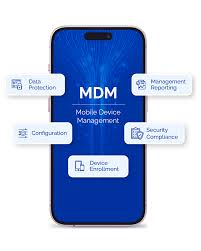
Larger healthcare facilities often use Mobile Device Management software to manage Android devices remotely. MDM solutions allow administrators to:
- Block specific websites
- Restrict application downloads
- Push security updates remotely
- Configure Wi-Fi settings
- Lock lost or stolen devices
- Monitor compliance across multiple devices
Managing devices from a central dashboard saves time while helping maintain consistent security policies throughout your organization.
If your healthcare facility also maintains a patient-facing website, it’s equally important to ensure employees can easily access approved internal resources without unnecessary restrictions. A modern website built with drag-and-drop tools can simplify content updates while maintaining a professional online presence for patients and families.

How to Block Websites Through Your Facility’s Wi-Fi Network
Rather than configuring every smartphone individually, many nursing homes and medical practices choose to manage website access through their wireless network. This approach allows administrators to apply consistent internet policies across all connected devices.
Many modern business routers include website filtering features that can block individual websites, categories of websites, or known malicious domains.
You may also consider using:
- DNS filtering services
- Firewall rules
- Secure web gateways
- Managed Wi-Fi platforms
- Business-grade network security appliances
Another effective way to improve performance is by using a CDN (Content Delivery Network) for your organization’s website. While a CDN does not block websites, it helps deliver your own website content faster to visitors, improving load times for prospective residents, families, and referral partners.
Combined with secure Wi-Fi policies, a fast website creates a better experience for users while supporting your facility’s online presence.
If you’re unsure whether your website is performing well, reviewing your analytics through Google Search Console can help identify slow-loading pages, indexing issues, and opportunities to Enhance Website Traffic from Google Search.
Creating a Mobile Device Policy for Your Healthcare Facility
Technology policies are most effective when employees understand both the expectations and the reasons behind them. A written mobile device policy helps create consistency across your organization while protecting staff, residents, and company-owned technology.
Your policy should clearly outline:

Approved Devices
Specify whether employees may use:
Shared nursing station devices
Company-issued smartphones
Company-issued tablets
Personal devices (Bring Your Own Device)
Acceptable Internet Usage
Explain:
Procedures for requesting access to blocked websites
Which websites are permitted
Which websites are restricted
When personal internet use is allowed
Security Expectations
Include requirements such as:
Reporting lost or stolen devices immediately
Strong passwords
Automatic screen locking
Multi-factor authentication
Regular software updates

Review the Policy Regularly
Technology changes quickly. Schedule periodic reviews of your mobile device policy to ensure it remains current with your organization’s operational needs and cybersecurity practices.
Your digital strategy should also extend beyond internal technology. Maintaining an optimized Google Business Profile, monitoring your website through Google Search Console, and using the Best Front-End Software for your website all contribute to a stronger online presence.
Together, secure workplace technology and a well-managed digital presence help healthcare facilities operate more efficiently while making it easier for prospective residents, families, and referral partners to find accurate information online.
Common Mistakes Healthcare Facilities Make with Mobile Device Management
Implementing website restrictions is only one part of maintaining a secure and productive healthcare environment. Many organizations invest in mobile device management but overlook other important aspects of their digital operations.
Avoiding these common mistakes can help your facility improve efficiency while protecting staff, patients, and organizational resources.
Not Having a Written Technology Policy
Without clear guidelines, employees may have different expectations about how company-issued devices should be used. A written policy helps establish consistency across departments and reduces confusion.
Blocking Too Many Websites
While restricting inappropriate websites can improve productivity, blocking too much may interfere with legitimate business activities such as continuing education, recruiting, or marketing.
Review your list of restricted websites regularly to ensure employees still have access to the tools they need.
Ignoring Website Security
Healthcare organizations often focus on protecting internal devices but overlook the security of their public website.
Regular software updates, strong passwords, secure hosting, and routine maintenance are just as important as mobile device policies.
Forgetting About Your Online Presence
Many healthcare administrators spend considerable time managing internal technology while overlooking how prospective residents and patients find their organization online.
An optimized website, accurate meta descriptions, and a complete Google Business Profile help families, referral partners, and patients find your facility more easily.
Strong Local SEO complements your internal technology strategy by improving your visibility in Google Search and Google Maps.
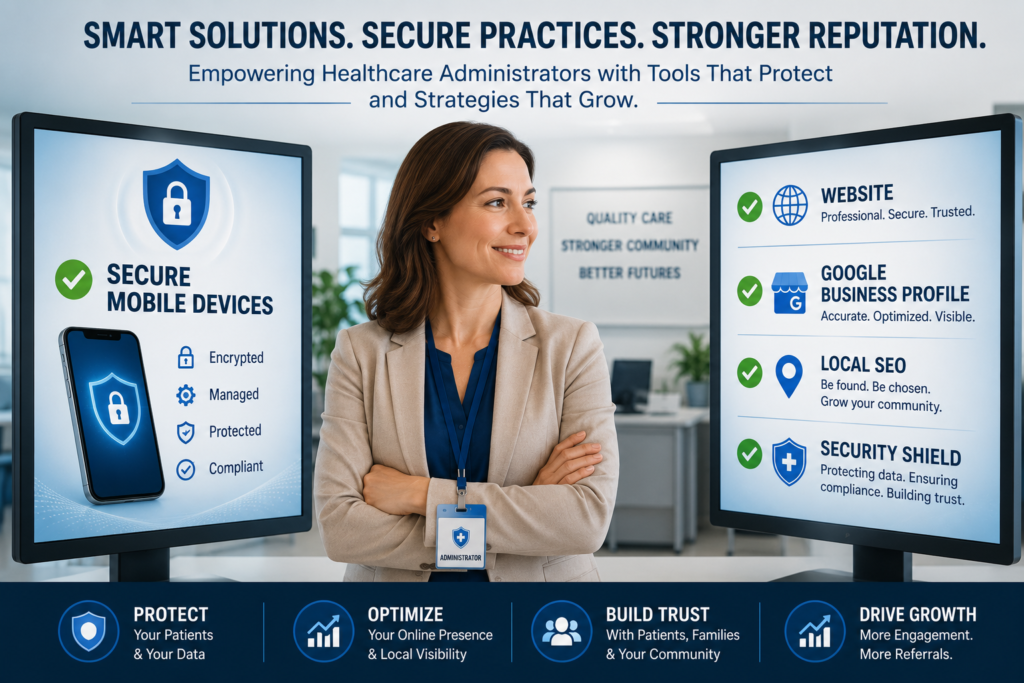
Your Digital Presence Is Just as Important as Your Internal Technology
Blocking inappropriate websites helps employees stay focused, but your public-facing digital presence deserves the same level of attention.
When families search for nursing homes or patients compare physicians, they often make decisions before ever picking up the phone.

They evaluate:
Search engine visibility
Your Google Business Profile
Website quality
Loading speed
Contact information
Office photos
Business hours
Directions
Even simple improvements such as writing compelling meta descriptions, optimizing page titles, and following an on-page SEO checklist for local business can increase visibility and encourage more people to visit your website.
Combined with strong Local SEO, these improvements help healthcare organizations attract more qualified visitors while making it easier for prospective patients and families to learn about the services they provide.
Technology isn’t just about protecting devices anymore—it’s also about making sure people can find your organization when they need care.
Building Trust Online Starts with Your Reputation
A secure workplace and a professional website are important, but one factor influences patient and family decisions more than almost anything else—your online reputation.
Before scheduling an appointment or touring a nursing home, many people read Google reviews to understand what others have experienced. Positive reviews help build trust, while thoughtful responses demonstrate that your organization values feedback and communication.
One challenge many healthcare organizations face is how to ask customers for reviews without feeling awkward. Staff members are already busy caring for patients, assisting families, answering phones, and managing administrative responsibilities. Asking for reviews can feel uncomfortable or easily fall to the bottom of the priority list.
The good news is that requesting honest feedback doesn’t have to be complicated. With the right process in place, healthcare organizations can encourage satisfied patients and family members to share their experiences naturally and professionally.
When combined with strong Local SEO, an optimized Google Business Profile, and a well-maintained website, authentic reviews help strengthen your online presence and make it easier for future patients to choose your organization with confidence.
Your Staff Already Has Enough on Their Plate
Healthcare professionals wear many hats throughout the day. Whether you operate a medical practice, nursing home, assisted living community, or home healthcare agency, your staff is constantly balancing patient care with administrative responsibilities.

On any given day, employees may be responsible for:
Supporting residents and patients
Answering phones
Scheduling appointments
Coordinating physician orders
Communicating with families
Completing documentation
Managing admissions and discharges
Verifying insurance
Responding to referrals
Maintaining compliance requirements
Adding responsibilities like monitoring Google reviews, updating your website, optimizing your Google Business Profile, or improving Local SEO often falls to someone who already has a full workload.
As a result, important digital tasks may be delayed, overlooked, or handled inconsistently.
That doesn’t mean these tasks aren’t important. In fact, your online presence is often the first impression prospective patients, residents, and referral partners have of your organization.
The challenge is finding enough time to manage it all while continuing to deliver exceptional care.
Your Online Reputation Deserves the Same Attention as Patient Care
Your staff works hard to provide compassionate care every day. Unfortunately, prospective patients and families don’t always see that effort firsthand.
Instead, they often see:
- Your Google rating
- The number of Google reviews
- Recent customer feedback
- Photos of your facility
- Your website
- Your Google Business Profile
- Your visibility in Google Maps

These digital touchpoints influence whether someone schedules an appointment, requests a tour, or contacts your office.
While website restrictions and cybersecurity policies help protect your organization internally, your online reputation helps attract new patients and residents externally.
That’s why many healthcare organizations include reputation management as part of their broader digital strategy.
At Lookhin4, we help healthcare organizations strengthen their online presence by supporting:
Google Review Management
We help create simple, compliant systems that encourage satisfied patients and families to leave honest reviews.
Google Business Profile Optimization
We help keep your business information accurate, complete, and up to date so patients can find you more easily.
Local SEO
We improve your visibility in Google Search and Google Maps, helping your organization appear when people search for healthcare services in your area.
Website Optimization
From improving page speed and meta descriptions to implementing an on-page SEO checklist for local business, we help healthcare websites perform better for both visitors and search engines.
The goal isn’t simply to generate more website traffic—it’s to attract the right visitors, build trust, and help more patients and families confidently choose your organization.
Let Your Staff Focus on Patient Care
Your team should be caring for patients—not chasing Google reviews, managing your Google Business Profile, or worrying about local SEO.
Lookhin4 helps medical practices build a stronger online presence by increasing authentic patient reviews, improving Google Maps visibility, and strengthening your reputation—all with minimal effort from your staff.
Schedule a free consultation to see where your practice stands, identify opportunities for growth, and receive a personalized strategy tailored to your goals. No pressure. No long-term commitment. Just practical recommendations that help your practice attract more patients.
✔ Free Consultation
✔ No Obligation
✔ Personalized Recommendations

Frequently Asked Questions
Why would a healthcare facility block websites on staff mobile devices?
Blocking selected websites can reduce distractions, improve cybersecurity, protect company-owned devices, and support workplace technology policies.
Can I block websites on both iPhone and Android devices?
Yes. Apple and Android both offer built-in tools for restricting website access, and larger organizations often use Mobile Device Management (MDM) software to manage multiple devices.
Should employees be allowed to use personal smartphones?
Every organization should develop a clear Bring Your Own Device (BYOD) policy. Personal device usage should align with your organization’s privacy, security, and operational requirements.
Does blocking websites improve HIPAA compliance?
Website restrictions alone do not make an organization HIPAA compliant. They should be one part of a broader cybersecurity, privacy, and employee training program.
What types of websites are commonly restricted?
Many healthcare organizations choose to block gambling websites, adult content, malicious websites, unauthorized download sites, and other high-risk web destinations.
What is a Google Business Profile?
A Google Business Profile is a free business listing that appears in Google Search and Google Maps. It helps patients and families find your location, contact information, hours, reviews, and directions.
Why is Local SEO important for healthcare organizations?
Local SEO helps your organization appear when people search for physicians, nursing homes, medical practices, or healthcare services in your area. Better visibility can lead to more phone calls, appointment requests, and facility tours.
How do Google reviews affect healthcare organizations?
Google reviews help build trust with prospective patients, residents, and family members. Positive reviews and thoughtful responses can strengthen your reputation and encourage more people to contact your organization.
How can I ask customers for reviews without feeling awkward?
The best approach is to ask after a positive interaction, discharge, successful treatment, or care experience. Make the request simple, genuine, and never pressure anyone to leave a positive review.
Can Lookhin4 help manage our online reputation?
Yes. Lookhin4 specializes in helping medical practices, physicians, nursing homes, assisted living communities, and other healthcare organizations improve their Google reviews, optimize their Google Business Profile, strengthen Local SEO, and increase online visibility.