

Table of Contents
Web Design Education: A Complete Guide to Learning Modern Web Design
Websites run the world.
Businesses.
Schools.
Online stores.
Personal brands.
Everything lives online.
That’s why web design education is one of the most powerful skills you can learn today.
It’s not just about making websites “look good.”
It’s about:
- User experience
- Functionality
- Accessibility
- Performance
- Search visibility
Let’s break it down in a simple, human way.
🎨 What Is Web Design Education?
Web design education is the process of learning how to:
- Design visually appealing websites
- Create user-friendly layouts
- Write front-end code
- Optimize for SEO
- Improve accessibility
It blends creativity with technology.
A good web designer understands both design and structure.
🧱 Core Foundations of Web Design Education
Before touching code, you need design basics.
📌 Visual Hierarchy: Guiding the Eye

Visual hierarchy helps users know where to look first.
You control attention using:
- Large headlines
- Bold fonts
- Bright buttons
- Clean spacing
Example:
An online store shows the product name big and bold.
The “Add to Cart” button stands out in a bright color.
That’s intentional.
📌 Typography: Making Words Easy to Read
Typography is more than picking pretty fonts.
It’s about readability.
Best practices:
- Use 2–3 fonts max
- Keep spacing clean
- Avoid tiny text
- Maintain consistency
Common beginner-friendly fonts:
- Open Sans
- Roboto
- Lato
Clear text builds trust.
📌 Color Theory: Emotion Through Design

Colors trigger emotion.
Blue = Trust
Red = Urgency
Green = Growth
Black = Luxury
Strong web design education teaches:
- Contrast for readability
- Brand consistency
- Emotional impact
Color isn’t random.
It’s strategy.
📌 Layout & Spacing: Keep It Clean
Good layout makes websites feel organized.
Important concepts:
- Grid systems
- White space (don’t overcrowd)
- Alignment
- F-pattern reading layout
Messy layouts confuse users.
Clean layouts convert.
💻 Front-End Development Skills
Design means nothing if it doesn’t work.
That’s where coding comes in.
🖥 HTML: The Structure
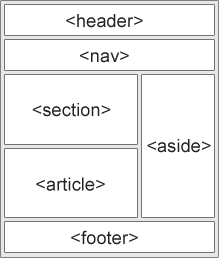
HTML builds the skeleton of a website.
You learn:
- Headings
- Paragraphs
- Forms
- Semantic tags
HTML tells the browser what content exists.
🎨 CSS: The Style
CSS controls:
- Colors
- Fonts
- Layout
- Spacing
- Animations
With modern tools like Bootstrap, you can create responsive layouts faster.
CSS makes your website beautiful.
⚡ JavaScript: The Interaction
JavaScript adds movement and function.
Examples:
- Dropdown menus
- Sliders
- Popups
- Form validation
Frameworks like React help build fast, interactive user interfaces.
Now your design feels alive.
🛠 Web Design Tools & Software
Modern web design education includes tools like:
- Figma for UI design
- Adobe XD for prototyping
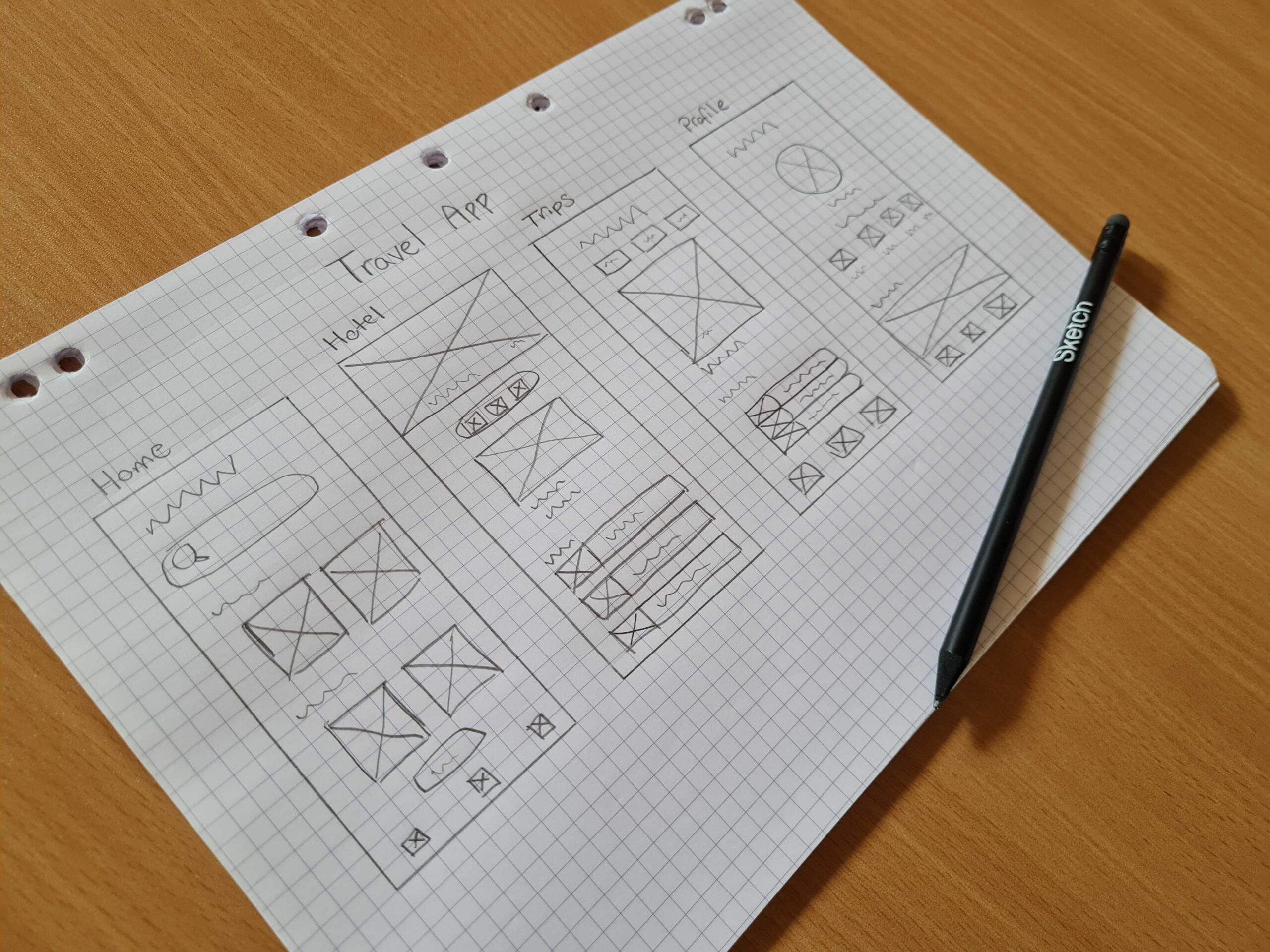
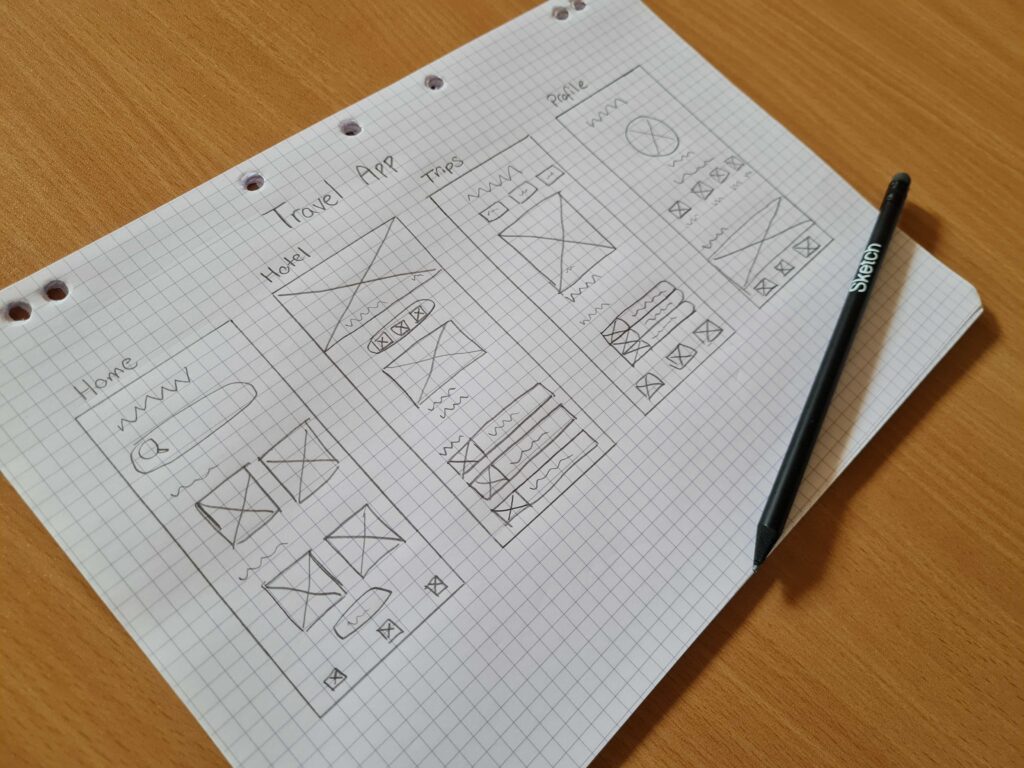
- Wireframing tools for layout planning
You start with wireframes.
Then high-fidelity prototypes.
Then development.
Planning saves time.
📱 Responsive Design: Mobile First
Over half of web traffic is mobile.
That means your design must adapt to:
- Phones
- Tablets
- Laptops
- Large screens
Responsive design uses:
- Flexible grids
- Media queries
- Fluid images
Google ranks mobile-friendly websites higher.
♿ Web Accessibility & SEO Optimization
Great web design education teaches inclusion.

Accessibility
Your site must work for:
- Screen readers
- Keyboard users
- Colorblind users
Add:
- Alt text
- Proper contrast
- Clear navigation
Accessibility expands your audience.
SEO Optimization
SEO helps people find your site.
Key elements:
- Keyword placement
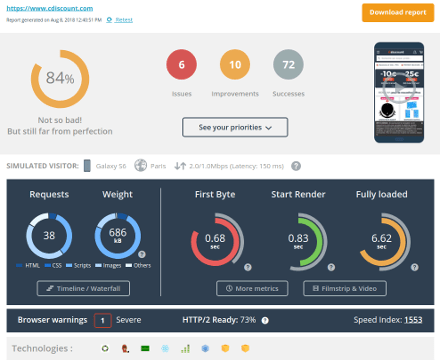
- Fast loading speeds
- Mobile-first design
- Clean URLs
- Internal linking
Google prioritizes performance and relevance.
Web design and SEO go hand-in-hand.
🎓 Learning Paths in Web Design Education
There’s no single path.
Choose what fits your style.
📚 Online Courses
Platforms like:
- Udemy
- Coursera
Offer structured lessons and certificates.
Good for flexible learning.
🏫 Bootcamps
Intensive programs like:
- General Assembly
Offer career-focused training.
Great for career changers.
🧠 Self-Learning
Free resources:
- FreeCodeCamp
- YouTube tutorials
- Documentation sites
Best for disciplined learners.
📈 Career Opportunities
Web design education can lead to:
- UI/UX Designer
- Front-End Developer
- Full-Stack Developer
- Freelance Web Designer
- Digital Marketing Specialist
Businesses always need strong websites.
The demand isn’t going away.
❓ Frequently Asked Questions
1. How long does web design education take?
Basic skills can be learned in 3–6 months with consistent practice.
2. Do I need to learn coding?
Yes, basic HTML and CSS are highly recommended.
3. Is web design a good career?
Yes, demand is strong and growing.
4. Can I learn web design for free?
Yes, many free resources exist online.
5. What’s the difference between web design and web development?
Design focuses on layout and experience. Development focuses on coding and functionality.
6. Is a degree required?
No. Skills and portfolio matter more than formal degrees.
🎯 Final Thoughts
Web design education is more than learning software.
It’s about solving problems.
It’s about helping users.
It’s about blending creativity with technology.
Start with fundamentals.
Practice daily.
Build projects.
Create a portfolio.
The web isn’t slowing down.
And with the right skills, neither will you
Related Articles
Best Front-End Software That Web Developers Use for Responsive Design
Free Web Design Cost Calculator: Get an Instant Estimate for Your Website Budget!
Latest Articles










