


Let’s be honest.
Most happy customers never leave a review.
Not because they didn’t like you.
They’re just busy.
If you want more 5-star ratings on Google, you have to ask. But you have to ask the right way.
This guide shows you the best way to request Google reviews from customers — without sounding desperate, awkward, or pushy.
Let’s get into it.
⭐ Why Google Reviews Matter So Much
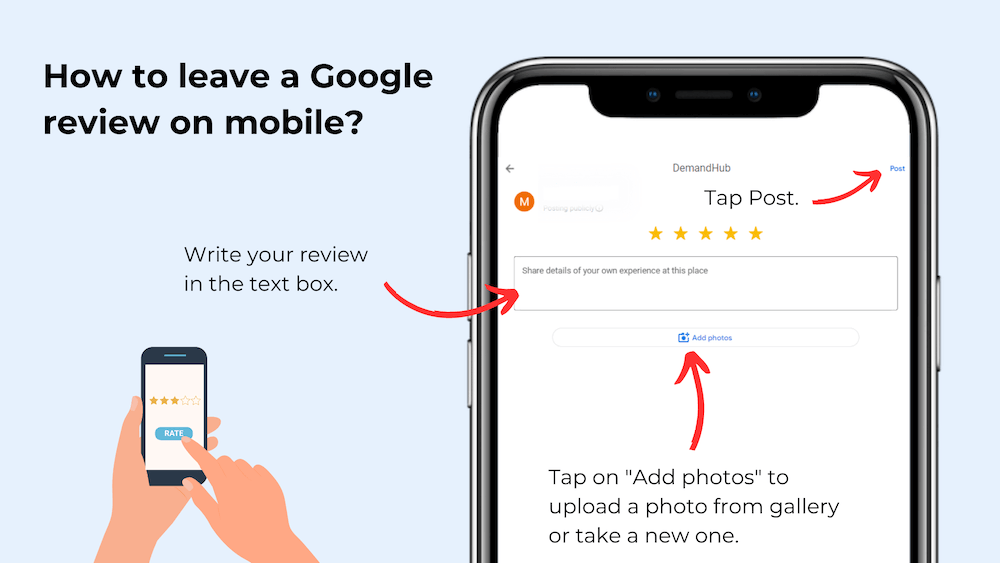
Your reviews live on your Google Business Profile.
When someone searches your business name, the first thing they see is:
- Your star rating
- The number of reviews
- What customers are saying
Higher ratings mean:
- More trust
- More clicks
- More calls
- More sales
Reviews are today’s word-of-mouth marketing.
🚀 The Best Way to Request Google Reviews From Customers
Here’s the truth:
Timing matters more than the script.
Ask when the customer is happiest.
Good times to ask:
- Right after completing a job
- After a successful purchase
- When they say “Thank you!”
- After you solve a problem
Emotion drives action.
Catch them at the high point.

🗣 Simple Scripts That Work
You don’t need a complicated speech.
Keep it short and natural.
In Person:
“If you had a great experience today, would you mind leaving us a quick Google review? It really helps our business.”
By Text:
“Thanks again for choosing us! If you have a moment, we’d really appreciate a Google review. Here’s the link: [insert link]”
By Email:
“We hope you loved your experience. Your feedback helps others find us. Would you be willing to leave a quick Google review?”
Simple. Polite. Direct.
🔗 Make It Easy (Very Important)
-

Google Review Removal Service That Protects Your Reputation and Builds Trust
Can Negative Google Reviews Damage a Healthcare Organization? A sudden wave of negative Google reviews can seriously damage the reputation of a nursing home or medical practice. Families researching nursing homes often compare ratings, recent reviews, management responses, photographs, and overall review activity before scheduling a tour. Patients may perform the same research before choosing…
-

Google Review Management Agency That Helps Businesses Build Trust and Get More Customers
People trust Google reviews before they trust advertisements. Before contacting your business, potential customers usually search your company online and ask themselves one important question: “Can I trust this business?” That answer often comes from your reviews. Customers look at: If your business has weak reviews, outdated feedback, or unanswered complaints, customers may choose a…
-

How to Get New Patients in New York With Google Reviews
Your next patient in New York may decide whether to call your practice before ever speaking to your staff. Today, patients search, compare, and read reviews before choosing care. A 2025 survey found 84% of patients check online reviews before choosing a new healthcare provider. In 2026, 75% said they wouldn’t book with a provider…
If customers have to search for your review page, most won’t do it.
Instead:
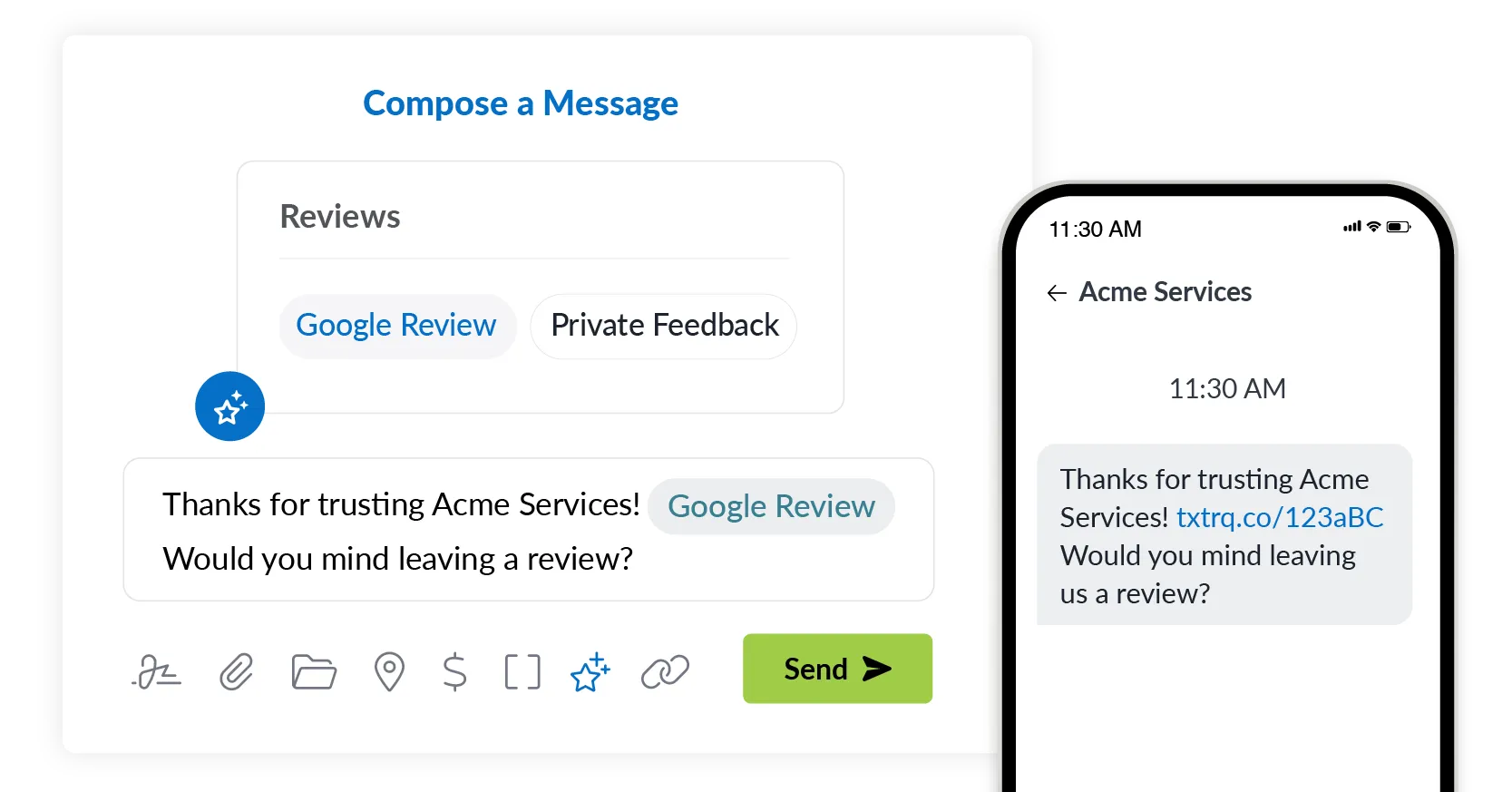
- Create a direct Google review link
- Send it by text
- Add a QR code at checkout
- Put it in your email signature
The easier it is, the more reviews you’ll get.
Convenience increases conversions.
📱 Best Ways to Ask (By Channel)
1️⃣ Text Message
Highest response rate. Short and direct.
2️⃣ Email
Great for service businesses and follow-ups.
3️⃣ In Person
Powerful because it feels personal.
4️⃣ Printed QR Code
Works well in retail locations.
Use what fits your business style.
💬 Always Respond to Reviews
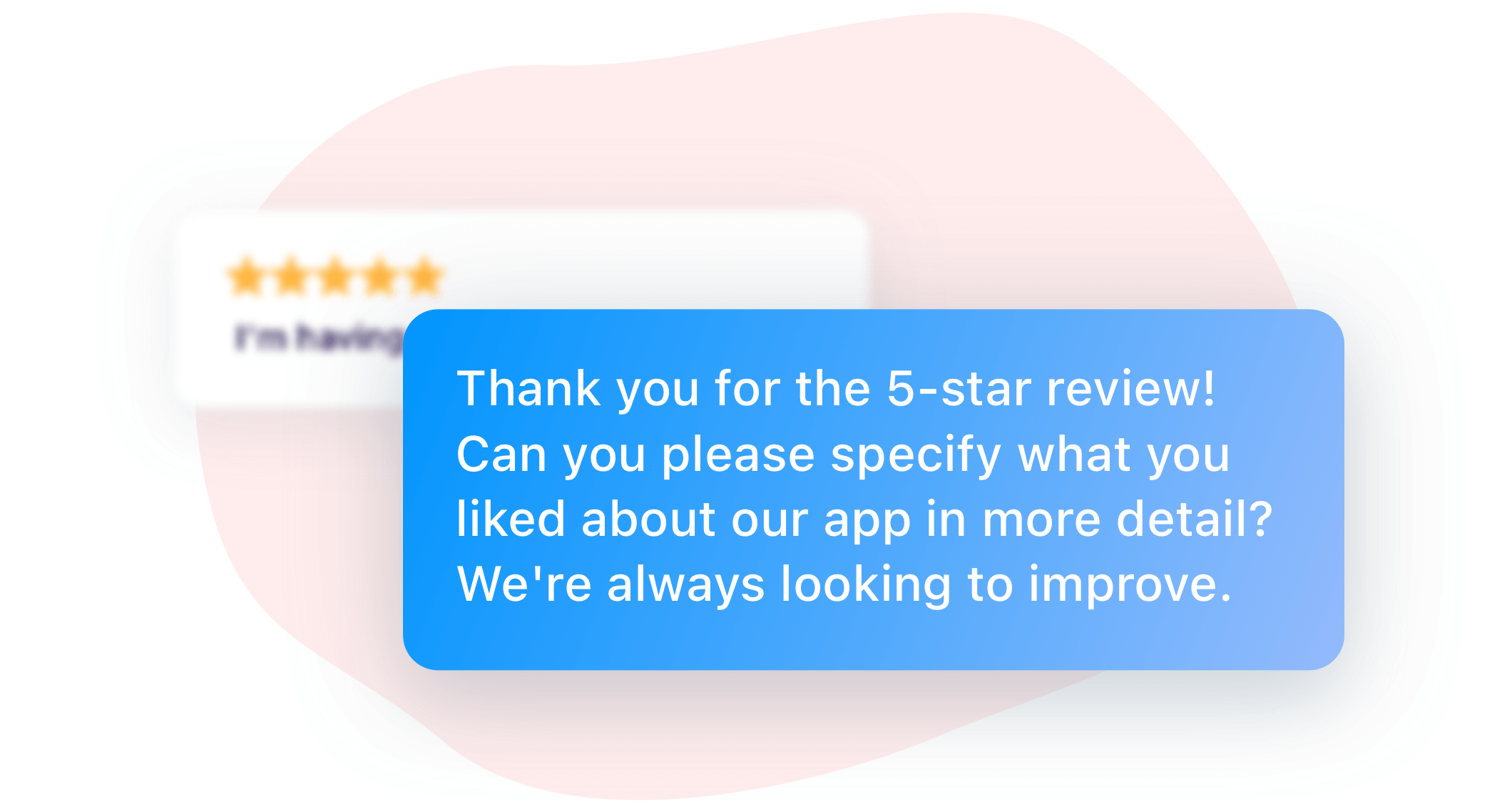
When customers leave a review, respond.
Thank them by name.
Mention something specific about their experience.
This shows:
- Professionalism
- Gratitude
- Engagement
Future customers read your responses too.
⚠️ What NOT to Do
Trying to cheat the system can backfire.
Avoid:
- Offering discounts for reviews
- Asking employees to leave reviews
- Setting up review stations on one device
- Asking 20 customers at once
- Writing fake reviews
Google’s system is smart.
Fake activity often gets filtered.
Real reviews last longer.
📈 Build a Review Habit
Don’t ask once a month.
Ask consistently.
Make it part of your workflow:
- After every job
- After every purchase
- After every positive interaction
Volume protects your rating.
Consistency builds credibility.
🧠 Bonus Tip: Pre-Qualify Customers
Want to protect your rating?
Ask something like:
“Was everything perfect today?”
If they say yes — ask for a review.
If they say no — fix the issue first.
This simple step prevents negative surprises.
❓ Frequently Asked Questions
1. When is the best time to ask for a Google review?
Right after a positive experience.
2. Should I ask every customer?
Yes, but naturally and respectfully.
3. Can I offer incentives for reviews?
No. That violates Google policy.
4. How many reviews should I aim for?
Consistent growth matters more than a specific number.
5. Do text messages work better than email?
Yes, they usually get higher response rates.
6. What if a customer refuses?
Respect it and move on.
🎯 Final Thoughts
The best way to request Google reviews from customers isn’t complicated.
It’s about:
- Good timing
- Simple wording
- Making it easy
- Being consistent
You don’t need tricks.
You need trust.
Deliver great service.
Ask naturally.
Make it easy.
The 5-star reviews will follow.
And when they grow, so does your business.
Related Articles
Why Google Reviews Are the New Word-of-Mouth for Accounting Firms
How to Get 4.9 on Google Reviews: The Smart Strategy Local Businesses Use
How to Respond to Bad Reviews Like a Pro
How I Helped My Sister Start a Weight Loss Business Online
Latest Articles
-
Google Review Removal Service That Protects Your Reputation and Builds Trust
Can Negative Google Reviews Damage a Healthcare Organization? A sudden wave of negative Google reviews can seriously damage the reputation of a nursing home or medical practice. Families researching nursing homes often compare ratings, recent reviews, management responses, photographs, and overall review activity before scheduling a tour. Patients may perform the same research before choosing…
-
Google Review Management Agency That Helps Businesses Build Trust and Get More Customers
People trust Google reviews before they trust advertisements. Before contacting your business, potential customers usually search your company online and ask themselves one important question: “Can I trust this business?” That answer often comes from your reviews. Customers look at: If your business has weak reviews, outdated feedback, or unanswered complaints, customers may choose a…
-
How to Get New Patients in New York With Google Reviews
Your next patient in New York may decide whether to call your practice before ever speaking to your staff. Today, patients search, compare, and read reviews before choosing care. A 2025 survey found 84% of patients check online reviews before choosing a new healthcare provider. In 2026, 75% said they wouldn’t book with a provider…
-
How Accepted Insurance Plans Can Strengthen Medical Local SEO
When patients search for a doctor, they are not only looking for the right specialty or the closest medical office. Many also need to know whether the practice accepts their insurance. A patient might search Google for: If your website does not clearly list the insurance plans your practice accepts, Google and potential patients may…
-
Brooklyn Nursing Home Marketing in 2026: How to Turn Google Searches Into More Admissions
If you’re responsible for marketing or admissions at a nursing home, you already know how to generate business the traditional way. You know the importance of hospital relationships. You know your discharge planners, case managers, physicians, community partners, and referral sources. You know what happens to census when those relationships are strong, and you know…
-
Google Reviews and Search Console: Drive More Traffic to Your Queens Medical Practice
Google Reviews and Search Console: Drive More Traffic to Your Queens Medical Practice A patient in Queens searches Google for a family doctor, chiropractor, dentist, physical therapist, podiatrist, urgent care center, or medical specialist. Within seconds, that patient may see several practices competing for attention. The listings can look similar, but the patient still has…







