
Website security is one of the most important aspects of modern web development. Every website stores and processes data, including user information, login credentials, and business records. Without proper protection, websites can become vulnerable to cyber attacks.
Following website security best practices helps developers protect web applications from threats such as hacking, data breaches, and malware.
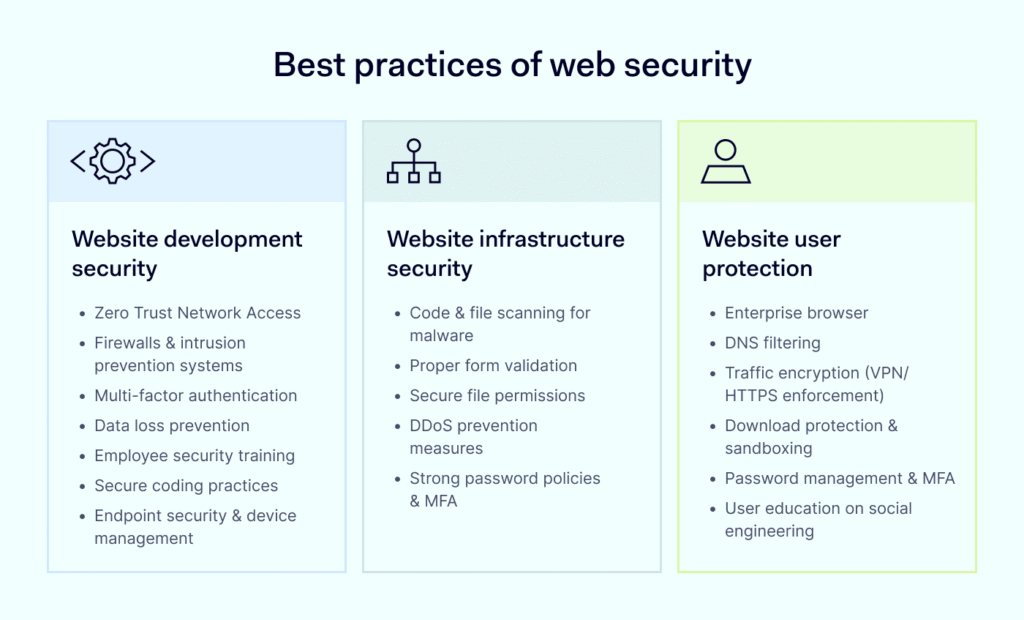
Secure websites not only protect users but also build trust and improve overall website reliability.
In this guide, we’ll explore:
- why website security matters
- common web security threats
- best practices for protecting websites
- tools developers use to improve security
Let’s explore how developers protect modern websites.
Secure websites not only protect users but also build trust and improve overall website reliability.
In this guide, we’ll explore:
- why website security matters
- common web security threats
- best practices for protecting websites
- tools developers use to improve security
Let’s explore how developers protect modern websites.
Why Website Security Is Important
Website security protects both users and businesses from cyber threats.
If a website is not secure, attackers may:
- steal user data
- inject malicious code
- damage the website’s reputation
- disrupt services
Search engines also prioritize secure websites.
For example, websites using HTTPS encryption are favored by browsers such as Google Chrome.
Security is now a critical part of professional web development.
Common Website Security Threats
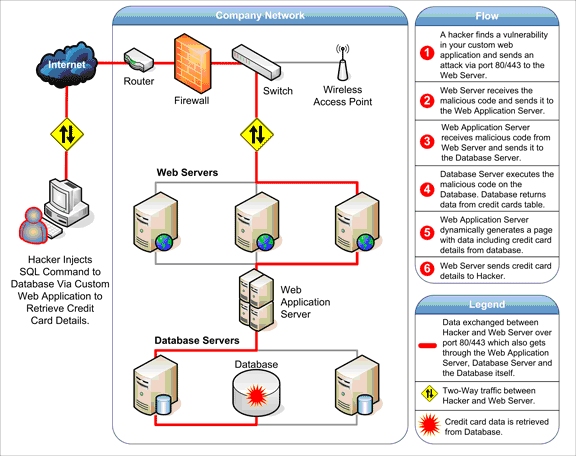
Websites face several types of security threats.
SQL Injection
SQL injection occurs when attackers insert malicious database queries into website forms.
This can allow them to access or manipulate sensitive data.
Cross Site Scripting (XSS)
XSS attacks inject malicious scripts into web pages.
These scripts can steal user information or manipulate website behavior.
Brute Force Attacks
Brute force attacks attempt to guess passwords by repeatedly trying different combinations.
This method targets login systems with weak security.
Essential Website Security Best Practices

Developers can improve website security by following best practices.
Use HTTPS Encryption
HTTPS encrypts data transmitted between the browser and the web server.
This protects sensitive information such as login credentials and payment details.
Implement Strong Authentication
Strong authentication methods help protect user accounts.
Examples include:
- strong passwords
- multi factor authentication
- secure login systems
Validate User Input
Developers should validate all user input to prevent malicious code injection.
Input validation helps prevent SQL injection and other attacks.

Keep Software Updated
Updating software and frameworks helps patch security vulnerabilities.
Developers often manage code updates using platforms like GitHub.
Security Tools for Web Developers
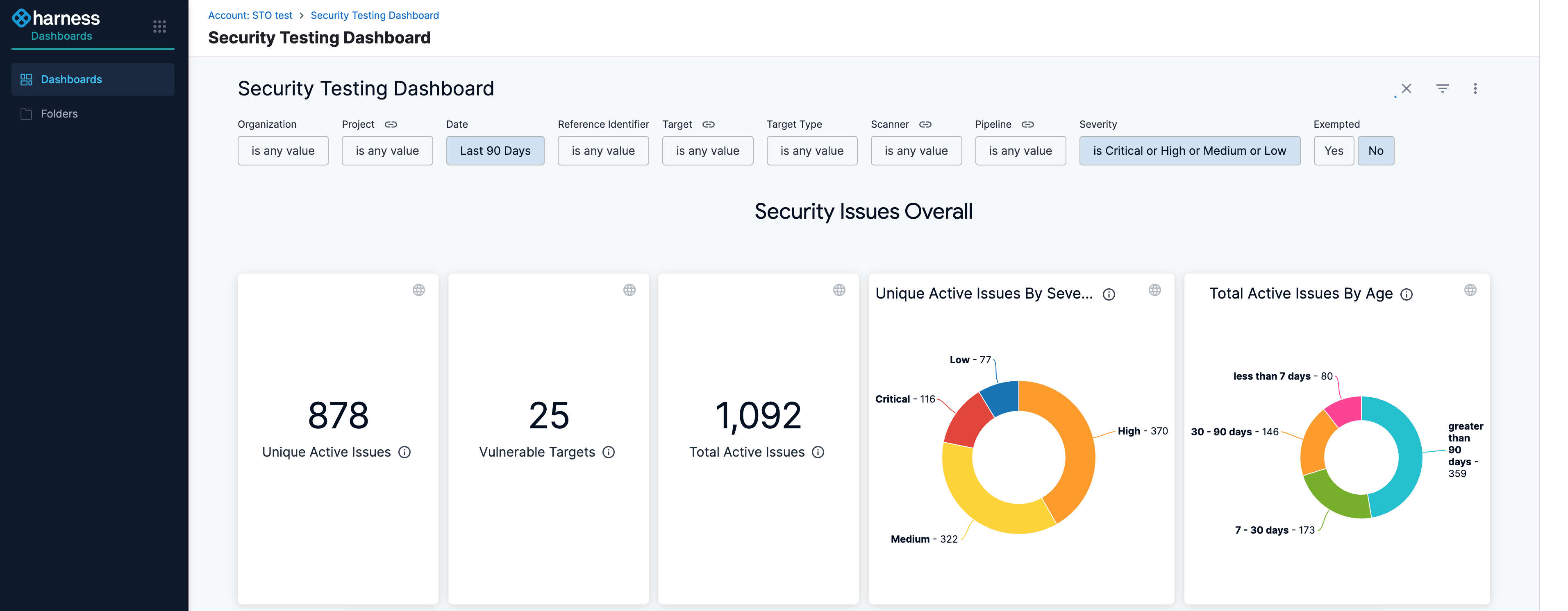
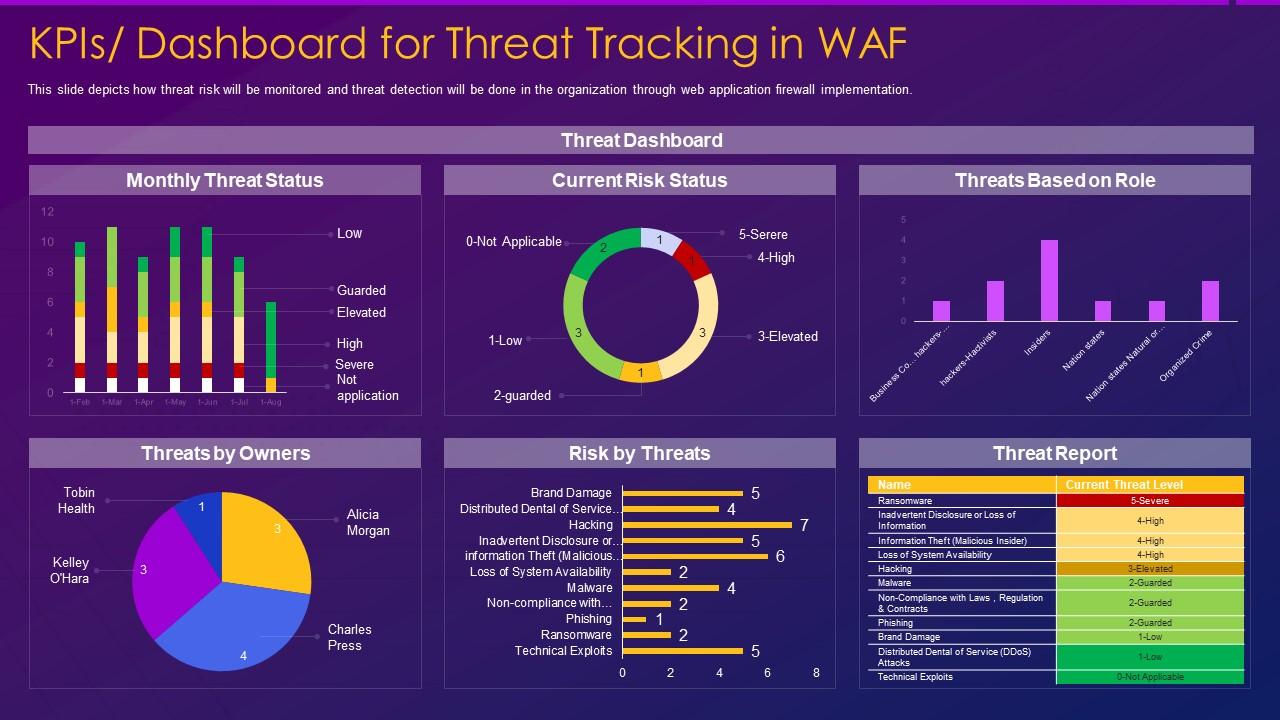
Several tools help developers test and improve website security.
Popular security tools include:
- OWASP ZAP for vulnerability testing
- Burp Suite for web security testing
- Cloudflare for website protection and firewalls
These tools help identify security vulnerabilities before attackers can exploit them.
Best Practices for Secure Web Development
Developers should follow secure coding practices throughout the development process.
Limit Access Permissions
Only authorized users should access sensitive data and systems.
Monitor Website Activity
Monitoring helps detect suspicious activity quickly.
Backup Website Data
Regular backups protect websites from data loss during security incidents.
Use Security Testing
Security testing ensures vulnerabilities are identified before deployment.
The Role of Security in Modern Web Development
Security is no longer optional in web development.
As websites handle more sensitive data and online transactions, security measures must be integrated into every stage of development.
Developers must continuously update their security practices to protect users and maintain website reliability.
Conclusion
Website security is essential for protecting web applications and user data.
By following security best practices such as HTTPS encryption, strong authentication, input validation, and regular updates, developers can significantly reduce the risk of cyber attacks.
Secure websites build trust with users and ensure reliable online experiences.
For modern web development, security must be a top priority from the beginning of every project.
Related Articles
Latest Articles
-
Google Review Removal Service That Protects Your Reputation and Builds Trust

Can Negative Google Reviews Damage a Healthcare Organization? A sudden wave of negative Google reviews can seriously damage the reputation of a nursing home or medical practice. Families researching nursing homes often compare ratings, recent reviews, management responses, photographs, and overall review activity before scheduling a tour. Patients may perform the same research before choosing…
-
Google Review Management Agency That Helps Businesses Build Trust and Get More Customers

People trust Google reviews before they trust advertisements. Before contacting your business, potential customers usually search your company online and ask themselves one important question: “Can I trust this business?” That answer often comes from your reviews. Customers look at: If your business has weak reviews, outdated feedback, or unanswered complaints, customers may choose a…
-
How to Get New Patients in New York With Google Reviews

Your next patient in New York may decide whether to call your practice before ever speaking to your staff. Today, patients search, compare, and read reviews before choosing care. A 2025 survey found 84% of patients check online reviews before choosing a new healthcare provider. In 2026, 75% said they wouldn’t book with a provider…