

If your Amazon Fire Stick Remote is not working, you’re not alone. Many Fire TV users run into this frustrating issue where the remote suddenly becomes unresponsive, doesn’t pair, or only works sometimes.
The good news? In most cases, the problem isn’t serious and can be fixed at home in just a few minutes. In this step-by-step guide, U&I will go through the most common reasons why your Firestick remote stops working and how to fix them quickly so you can get back to streaming your favorite shows.
✅ Why Is My Amazon Fire Stick Remote Not Working?
Your Fire Stick remote may stop working due to:
Physical damage to the remote
Dead or weak batteries (most common reason)
Not being paired properly with your Fire TV Stick
Obstructions between the remote and your device
Software glitches after updates
Knowing the root cause helps you fix the issue faster.
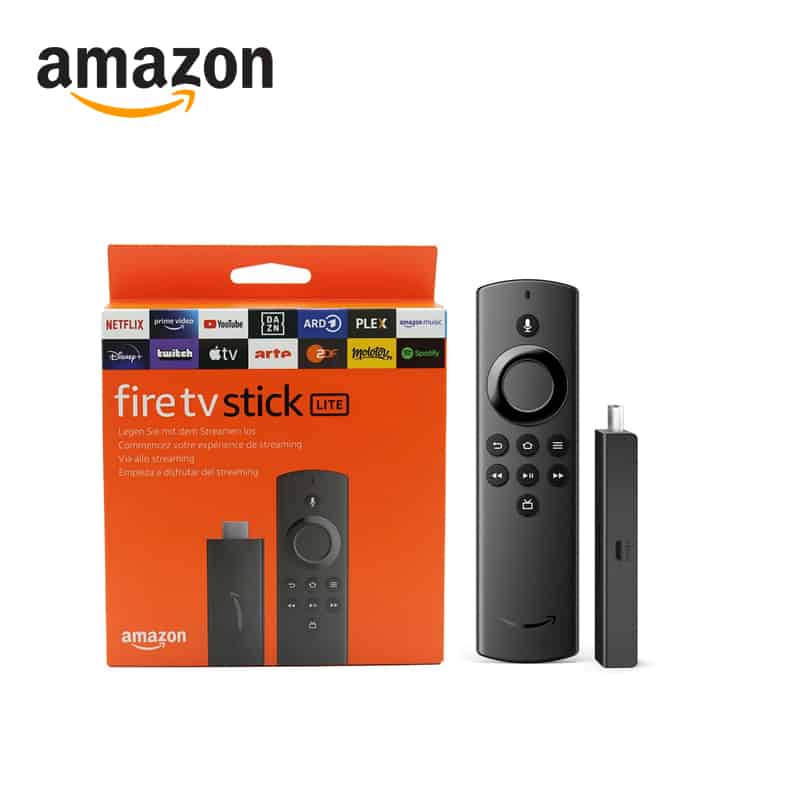

🔋 Step 1: Check and Replace the Batteries
Believe it or not, battery issues cause nearly 80% of Firestick remote problems.
- Always use fresh AAA alkaline batteries (not rechargeable ones).
- Insert them correctly with positive (+) and negative (–) ends aligned.
- If the remote still doesn’t work, try a different set of batteries.
👉 You can grab reliable Amazon-recommended batteries here: Amazon AAA Batteries.
📡 Step 2: Re-Pair Your Fire Stick Remote
If your Amazon Fire Stick remote is not pairing, follow these steps:
- Unplug your Fire Stick from the power source for 30 seconds.
- Plug it back in and wait for the home screen.
- Hold the Home button on your remote for 10 seconds until the LED blinks.
- Wait for the pairing confirmation on your TV screen.
🔄 Step 3: Reset Your Firestick Remote
Sometimes, a quick reset solves hidden glitches.
- Press and hold Back + Menu + Left Navigation for 10 seconds.
- Release the buttons and remove the batteries.
- Reinsert the batteries and pair the remote again.
📺 Step 4: Use Troubleshooting Mode (If Supported)
Some newer Firestick remotes have troubleshooting mode that helps diagnose the issue:
- Press Rewind + Right button for 3 seconds.
- Press Menu – the LED turns green (troubleshooting mode).
- Press any button and check the LED indicator:
| LED Color | Meaning | Fix |
|---|---|---|
| 🔴 Red (slow blink) | Low battery | Replace batteries |
| 🔴 Red (fast blink) | Remote problem | Reset remote |
| 🟠 Orange | Not paired | Re-pair remote |
| ⚪ White | Device issue | Restart Fire Stick |
| 🔵 Blue | No issues | Restart Fire Stick |
👉 For deeper tech troubleshooting tips, check out this MetaVent guide on Fire Stick remotes (external resource).
📶 Step 5: Eliminate Interference
Your Firestick remote uses Bluetooth, not infrared. That means:
- Keep the remote within 10 feet of your Fire Stick.
- Remove other Bluetooth devices nearby that may interfere.
- Avoid placing your Fire Stick behind your TV where signals weaken.
⚙️ Step 6: Restart Your Fire Stick Device
If the remote is fine but still unresponsive:
- Unplug the power adapter.
- Wait 30–60 seconds.
- Plug it back in and try again.
🛠 Step 7: Replace Your Fire Stick Remote
If none of the above works, your remote may be damaged or defective. You can:
Or use the Fire TV app on your smartphone (available for iOS & Android) as a temporary remote.
Buy an official replacement from Amazon Fire TV Remote Store.
🔍 FAQs on Amazon Fire Stick Remote Not Working
1. Why does my Firestick remote stop working suddenly?
Usually, weak batteries or lost pairing cause this issue. Try replacing batteries and re-pairing.
2. Can I use my phone if my remote doesn’t work?
Yes! Download the Fire TV app from the App Store or Google Play to use your phone as a remote.
3. Do Firestick remotes wear out?
Yes, over time buttons and sensors can fail. If troubleshooting doesn’t help, consider a replacement.
4. My Fire Stick isn’t responding at all—what now?
Try restarting your device by unplugging it for 30 seconds, then plugging it back in.
5. How do I exit troubleshooting mode on Fire Stick remote?
Press Play/Pause + Up for 3 seconds, then press Menu.
6. Can Wi-Fi issues affect my remote?
Yes, since the remote communicates with the Fire Stick over Bluetooth and Wi-Fi, poor connectivity can sometimes cause delays.
🎯 Final Thoughts
A Amazon Fire Stick Remote not working problem can feel like the end of movie night—but most of the time, it’s a quick and easy fix.
- Start with batteries
- Try a reset or re-pair
- Use troubleshooting mode if available
- As a last resort, replace your remote or use the Fire TV app
With these fixes, U&I can enjoy endless streaming without interruptions.
What Is a VPN? A Beginner-Friendly Guide to Online Privacy
🔥 Best Free VPN for Firestick (Tested Personally): See What Works, What’s Worth It
Brooklyn Internet Providers Failing You? T-Mobile Home Internet Is the Upgrade You Need
📦 How to Set Up a NAS on T-Mobile Home Internet (Step-by-Step Guide)








