

How to Get Website Traffic from Pinterest: Proven Tips You Can Use Today
Pinterest is a visual search engine. Not just a social app. People come to search, plan, and buy. That’s why it can become one of your strongest website traffic sources if we do the basics right. (Pinterest)
Step 1 — Set up right (10 minutes, tops)
Enable Rich Pins. Pinterest pulls titles, descriptions, and more from your site automatically. Looks better. Gets more context. (Pinterest Help)
Switch to a Business Account. You get analytics, ads, and audience insights. It’s free. (Pinterest)
Claim your website. Builds trust. Unlocks data on Pins from your site. (Pinterest)

Step 2 — Make click-worthy Pins (so people tap through)
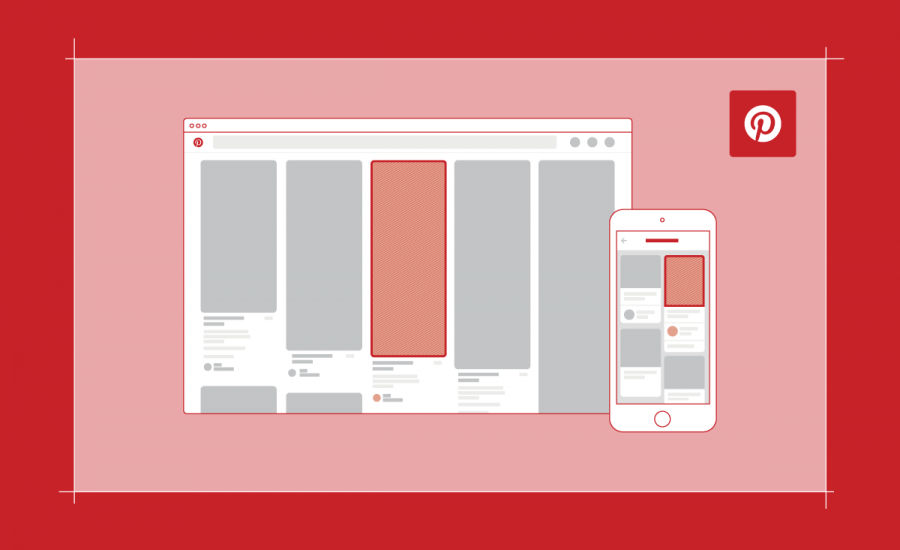
- Size: Use a 2:3 vertical image (e.g., 1000 × 1500 px). That’s the official spec. (Pinterest)
- Image first. Clear photo or graphic. Product in focus. High quality. (Pinterest)
- Bold text overlay. Promise a result: “10 Meal Prep Ideas,” “Small Patio Makeover.”
- Strong CTA: “Read the guide,” “Get the checklist,” “See steps.”
- Repeat winners. If a design works, make three more versions.
You and I don’t need fancy design skills. We just need clean, vertical, readable Pins that sell the click.

Step 3 — Pinterest SEO (this is where the traffic snowballs)
Pinterest uses keywords to understand your Pins and Boards. Treat it like Google, but visual. (Pinterest Help, Pinterest)
- Put keywords in your Pin title and description.
- Use keywords in your Board names and Board descriptions.
- Keep it natural. Write like you talk.
Pro move: Use Pinterest Trends to spot rising searches and plan content early (holidays, seasons, events). (trends.pinterest.com, Pinterest Help)

“Every pin you post is a seed, and Pinterest website traffic is the garden that grows from it.”
Step 4 — Post the right content (formats that win)
- Lists & How-Tos (“7 Closet Hacks,” “How to Start Container Gardening”).
- Infographics (steps, checklists, recipes).
- Short videos (quick recipe, 15-sec DIY).
- Lifestyle photos (show the result in the real world).
Pinterest itself pushes best practices for creative and specs. Follow them.
Step 5 — Pin consistently (without living on Pinterest)
- Schedule 10–15 Pins/day across your boards.
- Mix your Pins with a few high-quality third-party Pins in your niche.
- Keep posting when your audience is active (evenings/weekends often win).
You don’t need to guess trends. Pinterest shows what’s heating up each month.

Step 6 — Join Group Boards (borrow reach the smart way)
Aim for active boards with steady saves and clicks.
Pinterest supports collaboration via Group boards (use sparingly—quality > quantity).
Pick boards that match your niche.
Follow the rules. Pin helpful stuff only.
Step 7 — Track, learn, improve (what we watch)
In Pinterest Analytics, watch: Impressions, Saves, Pin clicks, Outbound clicks (that last one is the money).
- Double down on Pins with high Outbound clicks.
- Update weak Pins: new title, new cover image, clearer text overlay.
- Lift winners with a small Promoted Pin budget.
Pinterest confirms the key metrics and how clicks are counted.

Step 8 — Boost with ads (small budget, big learnings)
- Promoted Pins for reach.
- Carousels for multiple ideas or products.
- Shopping formats if you’re e-commerce (requires catalog).
Start tiny. Test 2–3 creatives and 2–3 audiences. Keep the one with the best cost per outbound click.

Why Pinterest traffic lasts (and why you and I should care)
Pins don’t vanish like stories. A good Pin can send visitors for months (even years) because it ranks in Pinterest search and resurfaces with trends. That long tail is why Pinterest is special for steady traffic. (Improvado, Jenna Kutcher, The Pinterest Lab)
“When I finally took Pinterest SEO seriously, my blog doubled in clicks—Pinterest website traffic is no joke.”

Quick checklist (copy/paste for your next post)
Track Outbound clicks; spin up low-budget ads on winners.
Business account + claim site + Rich Pins.
Make 3–5 vertical Pins per article (1000×1500).
Add keywords to Pin/Board titles + descriptions.
Use Trends to plan seasonal content. (trends.pinterest.com, Pinterest Help)
Schedule daily; test two designs per post.


Mini-FAQ (fast answers, no fluff)
Does Pinterest really send traffic?
Yes. It’s a search engine. People click resources that solve problems. Business accounts + keywords + vertical Pins = traffic.
What Pin size should I use?
Use 2:3 (e.g., 1000×1500 px). That’s Pinterest’s own guidance.
What metrics matter most?
Outbound clicks (visits to your site), then Saves (future clicks).
Do Rich Pins help?
Yes. They add synced details, which improves clarity and click intent.
“The biggest mistake I made was ignoring Pinterest website traffic—once I fixed that, my numbers skyrocketed.”
Your next move (simple):
You and I don’t need to overthink this.
- Pick one blog post.
- Make 3 vertical Pins with clear titles.
- Add keywords.
- Schedule them for this week.
- Check Outbound clicks in 7 days.

Related Articles
How to Check Website Traffic on Google Analytics
SEO Strategies to Boost Website Traffic for Beginners [Easy Steps]
SEO vs. Paid Ads: Which Brings Better Long-Term Results
Referral Links vs Backlinks: What 91% of Websites Get Wrong About Traffic and Growth
Which Report Indicates How Traffic Arrived at a Website: Easy Breakdown
More articles
Metric Concerned Website Traffic: The #1 Insight For Better Rankings
Boost Your Website Traffic with These Simple Tips
How To Prepare & Create Daily Content That Boosts Visibility and Ranks 1ST on Google
7 Powerful Tools to Monitor and Improve Website Traffic Fast (With Real NYC Insights!)








