


- 🔍 1. Google Search Console (Your SEO Control Center)
- 📊 2. Google Analytics (Understand Your Visitors)
- 🔑 3. Google Keyword Planner (Find What People Search)
- 📈 4. Google Trends (Spot What’s Growing)
- 🛠 5. PageSpeed Insights (Fix Slow Websites)
- 🏆 What Is the Best Google SEO Tool?
- 🚀 How to Use Google SEO Tools Together
- ❓ Frequently Asked Questions
- 🎯 Final Thoughts
If you’re trying to rank on Google, you need the right tools.
A Google SEO tool helps you find keywords, track rankings, fix website errors, and improve visibility. Without one? You’re guessing. And guessing doesn’t win.
The good news? Google gives you free, powerful SEO tools.
Let’s break them down in simple, human terms.
🔍 1. Google Search Console (Your SEO Control Center)

Google Search Console is one of the best free Google SEO tools available.
What It Does:
- Shows what keywords you rank for
- Tracks clicks and impressions
- Alerts you about errors
- Submits sitemaps
- Monitors mobile usability
Why It Matters:
It shows you exactly how Google sees your website.
If pages aren’t indexed? You’ll know.
If rankings drop? You’ll see it.
It’s a must-have.
👉 You can sign up here: https://search.google.com/search-console
📊 2. Google Analytics (Understand Your Visitors)
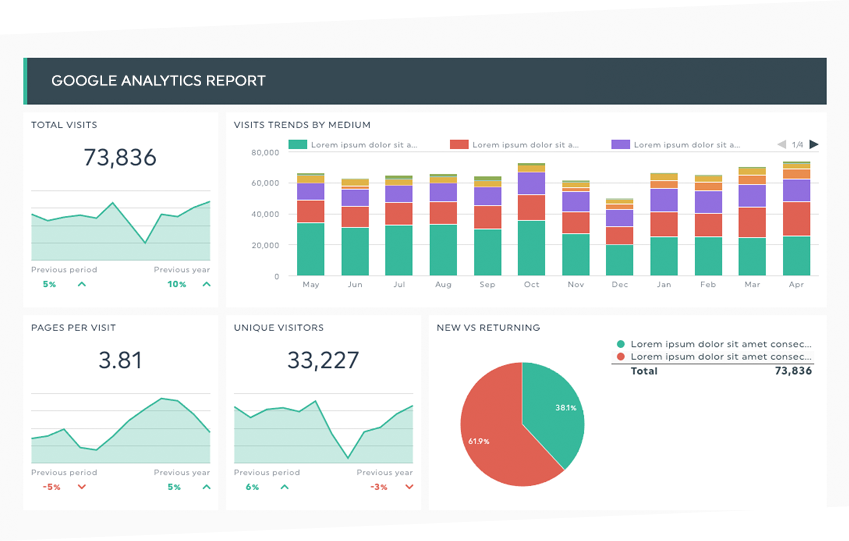
Google Analytics tracks what users do after they land on your site.
It Shows You:
- How many visitors you get
- Where they come from
- What pages they visit
- How long they stay
If people leave fast? You may need better content.
If one blog gets lots of traffic? Make more like it.
Data tells the story.
🔑 3. Google Keyword Planner (Find What People Search)

Google Keyword Planner helps you find search terms people use.
It Helps You:
- Discover keyword ideas
- See search volume
- Understand competition
This tool lives inside Google Ads, but you can use it for SEO research too.
Want traffic? Target what people actually search.
📈 4. Google Trends (Spot What’s Growing)
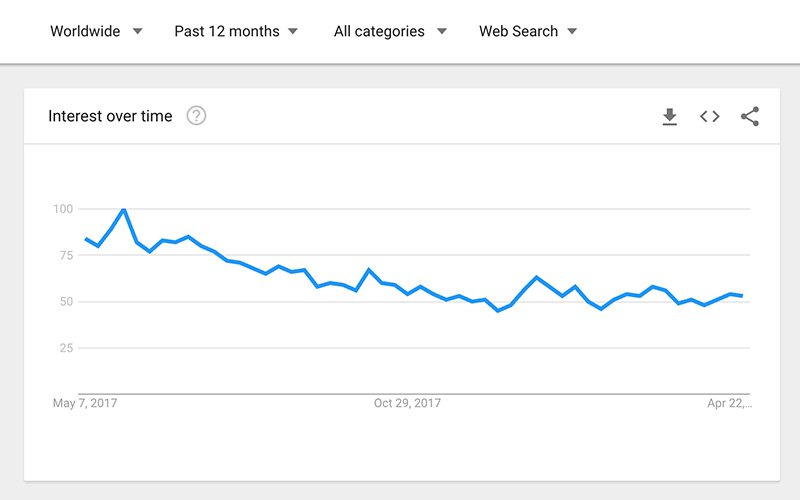
Google Trends shows what topics are rising or falling.
Why It’s Powerful:
You can see:
- Seasonal trends
- Trending topics
- Regional interest
If a topic is exploding? Create content now.
Timing matters in SEO.
🛠 5. PageSpeed Insights (Fix Slow Websites)
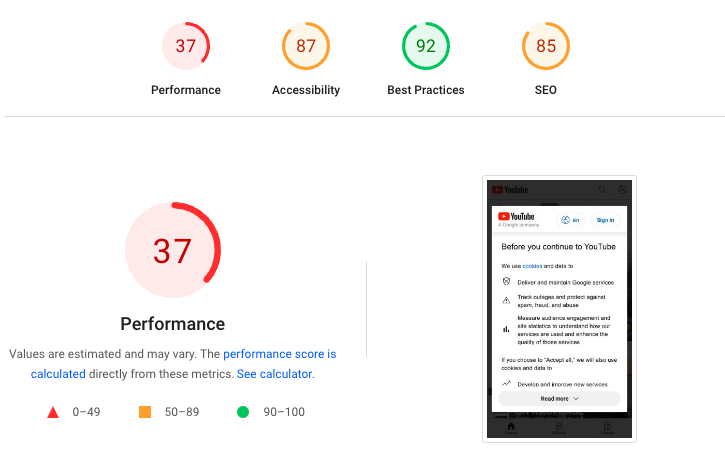
Google PageSpeed Insights measures how fast your site loads.
Speed affects rankings.
If your site is slow:
- Users leave
- Bounce rate increases
- Rankings drop
This tool gives clear suggestions to fix it.
🏆 What Is the Best Google SEO Tool?
Here’s the honest answer:
If you want ranking data → Google Search Console
If you want traffic data → Google Analytics
If you want keyword ideas → Keyword Planner
If you want trends → Google Trends
If you want speed help → PageSpeed Insights
Most smart website owners use all of them together.
They’re free. That’s the best part.
🚀 How to Use Google SEO Tools Together
Here’s a simple workflow:
- Use Keyword Planner to find search terms.
- Create optimized content.
- Submit pages in Search Console.
- Monitor traffic in Analytics.
- Improve speed using PageSpeed Insights.
- Check trends before publishing new content.
That’s real SEO strategy.
❓ Frequently Asked Questions
1. Is Google SEO tool free?
Yes. Most Google SEO tools are completely free.
2. Do I need all of them?
Not required, but they work best together.
3. Which tool helps improve rankings?
Search Console helps track performance and fix issues.
4. Does website speed affect SEO?
Yes. Faster sites rank better.
5. Can beginners use these tools?
Yes. They are user-friendly and beginner-friendly.
6. Are paid SEO tools better?
Paid tools offer extra features, but Google’s tools are powerful enough to start.
🎯 Final Thoughts
A good Google SEO tool gives you direction.
Without data, you’re guessing.
With data, you’re improving.
Start with:
- Google Search Console
- Google Analytics
Master those first.
Then expand.
SEO isn’t magic. It’s strategy, patience, and using the right tools.
And the best part?
Google already gives you everything you need.
Related Articles
How to Use the Best Tool for Amazon Keyword Research to Optimize Listings
Mastering The Best Tools For SEO
Why Do Hospitals Have Bad Reviews? 11 Honest Reasons Patients Speak Out
How to Use Google Lens on PC for Text, Shopping & Visual Search
Latest Articles










