


After a website is designed, developed, and tested, the final step is website deployment. Deployment is the process of launching a website so it becomes accessible to users on the internet.
During deployment, developers move the website from a development environment to a live production server. This step ensures the website can be accessed by users around the world.
Proper deployment helps ensure that websites run smoothly and remain secure after launch.

In this guide, we’ll explore:
- what website deployment is
- how the website launch process works
- tools developers use for deployment
- best practices for launching websites
Let’s explore how websites go from development to live online platforms.
What Is Website Deployment?
Website deployment is the process of publishing a website so that it becomes accessible on the internet.
Before deployment, websites typically exist in development environments where developers build and test them.
Once ready, the website is transferred to a production server where users can access it through a web browser.
Developers often manage deployment workflows using tools like GitHub and test live functionality using browsers such as Google Chrome.
Deployment marks the transition from development to a live website.
Stages of the Website Deployment Process
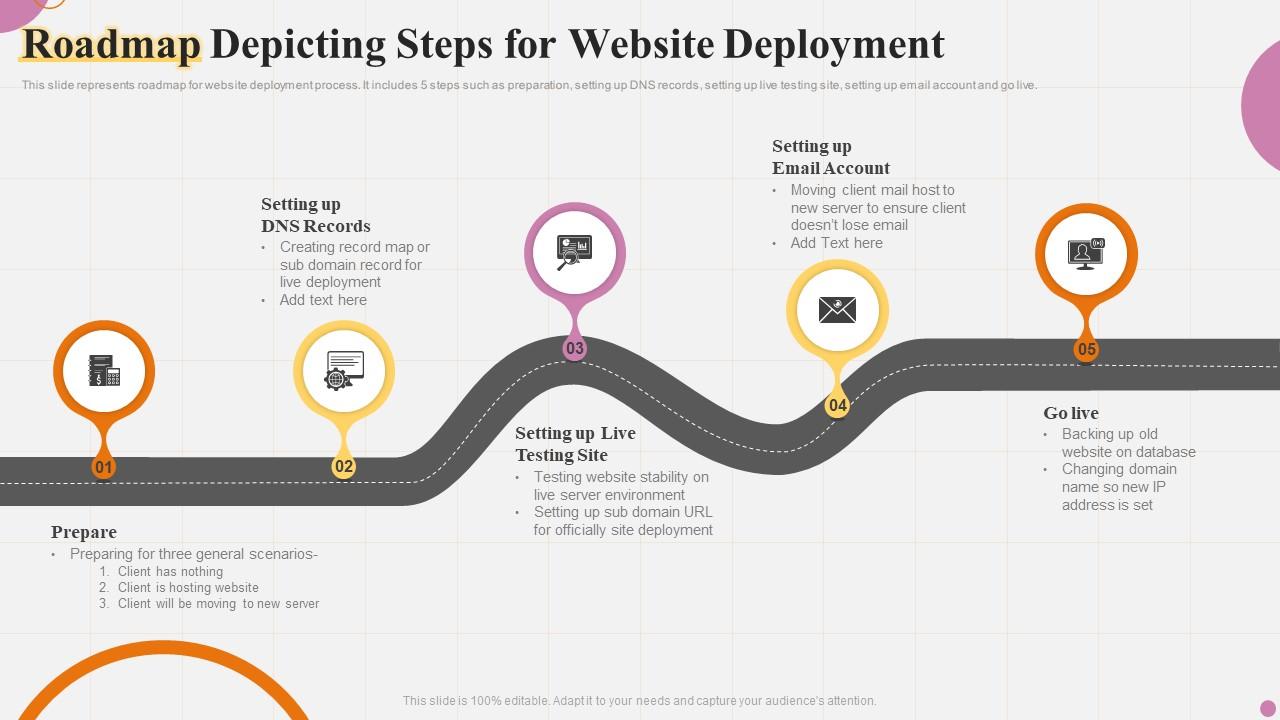
Website deployment usually involves several stages.
Development Environment
Developers write and test code locally on their computers.
This environment allows developers to build features without affecting the live website.
Staging Environment
The staging environment simulates the live website.
It allows developers to test the website in a realistic environment before launch.
Production Environment
The production environment is the live server where the website becomes accessible to users.
Once deployed, visitors can access the website through its domain name.
Hosting and Servers
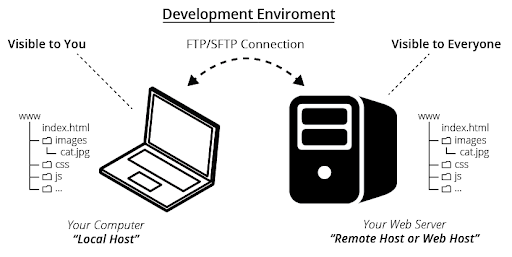
Websites must be hosted on servers to be accessible online.
Web hosting providers store website files and deliver them to users when requested.
Popular hosting platforms include:
- Amazon Web Services
- Google Cloud
- DigitalOcean
These platforms provide scalable infrastructure for hosting websites and web applications.

Deployment Tools Used by Developers
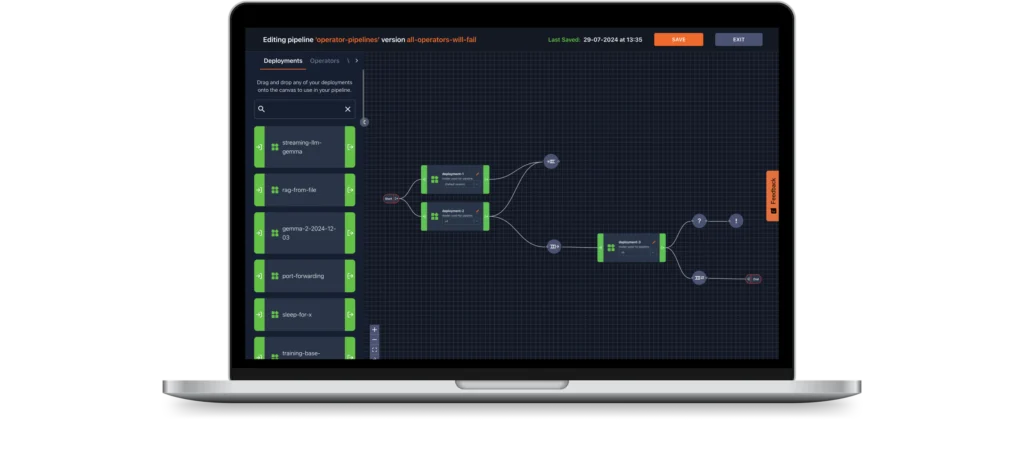
Developers use various tools to automate and manage deployment.
Common deployment tools include:
- GitHub for version control and deployment workflows
- Docker for containerized applications
- Jenkins for continuous integration and deployment
These tools help streamline the deployment process and reduce manual errors.
Best Practices for Website Deployment
Successful deployment requires careful planning.
Developers often follow several best practices.
Backup Website Data
Always create backups before deploying new versions of a website.

Test the Website Again
Final testing ensures no bugs appear after deployment.
Monitor Website Performance
Monitoring tools help developers detect performance issues quickly.
Use Secure Connections
Secure deployment methods protect website files during transfer.
Continuous Deployment and Updates

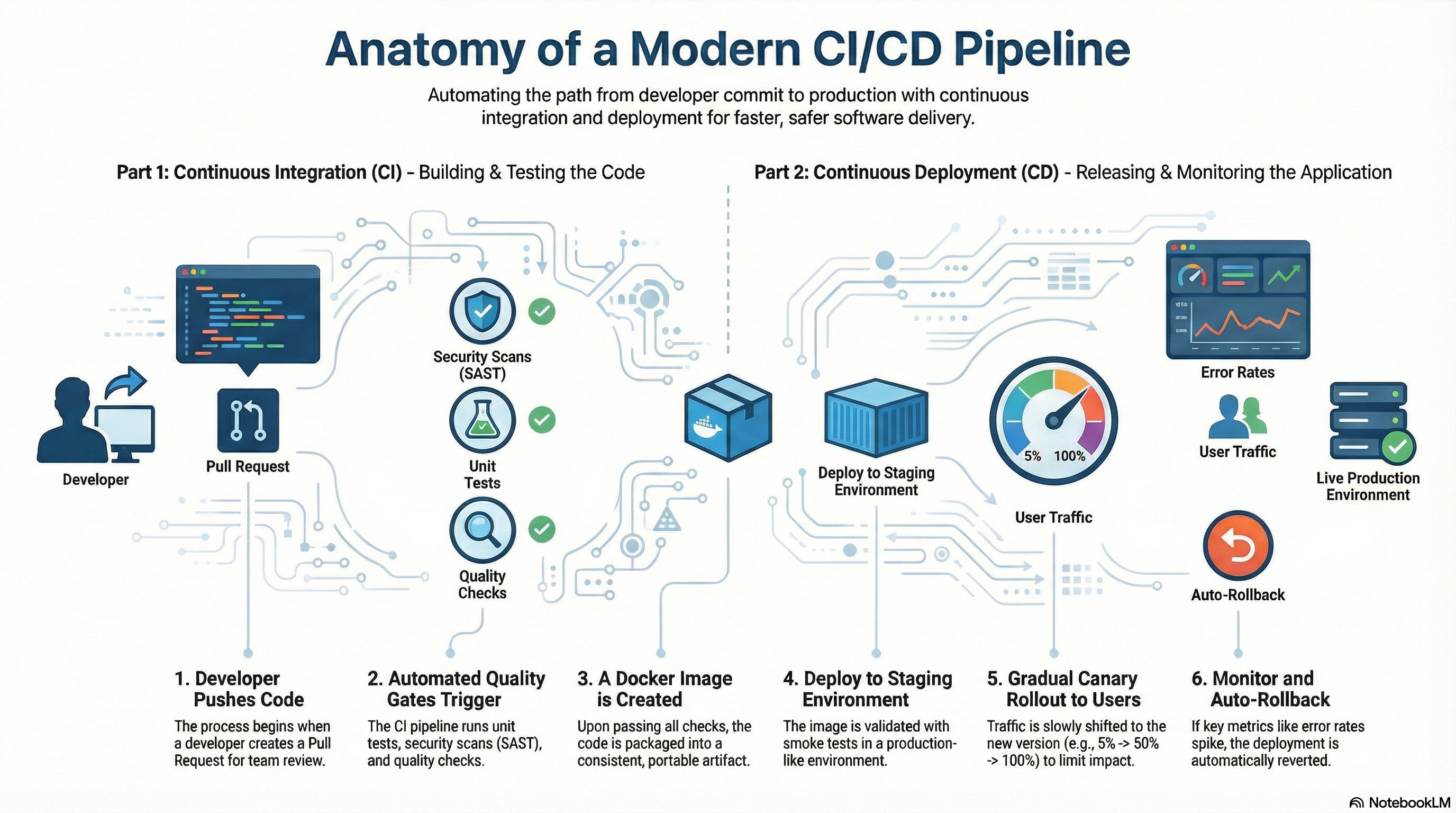
Modern development teams often use continuous deployment.
This approach allows developers to release updates automatically whenever code changes are approved.
Continuous deployment helps:
- deliver updates faster
- reduce manual work
- improve development efficiency
DevOps tools support automated deployment pipelines.
Common Deployment Challenges
Even experienced teams can face deployment challenges.
Common issues include:
- server configuration errors
- missing dependencies
- security vulnerabilities
- downtime during deployment
Careful planning helps minimize these risks.
Conclusion
The website deployment process is the final step in bringing a website to life.
By transferring website code from development environments to live servers, developers make websites accessible to users worldwide.
Successful deployment requires testing, proper server configuration, and monitoring to ensure reliable performance.
For modern web development, deployment is not just a one time event but an ongoing process that supports continuous updates and improvements.
Related Articles
Latest Articles
-

Google Review Removal Service That Protects Your Reputation and Builds Trust
Can Negative Google Reviews Damage a Healthcare Organization? A sudden wave of negative Google reviews can seriously damage the reputation of a nursing home or medical practice. Families researching nursing homes often compare ratings, recent reviews, management responses, photographs, and overall review activity before scheduling a tour. Patients may perform the same research before choosing…
-

Google Review Management Agency That Helps Businesses Build Trust and Get More Customers
People trust Google reviews before they trust advertisements. Before contacting your business, potential customers usually search your company online and ask themselves one important question: “Can I trust this business?” That answer often comes from your reviews. Customers look at: If your business has weak reviews, outdated feedback, or unanswered complaints, customers may choose a…
-

How to Get New Patients in New York With Google Reviews
Your next patient in New York may decide whether to call your practice before ever speaking to your staff. Today, patients search, compare, and read reviews before choosing care. A 2025 survey found 84% of patients check online reviews before choosing a new healthcare provider. In 2026, 75% said they wouldn’t book with a provider…







