


Hey! I’m an SEO consultant and web designer—and I’ll tell you straight: Google cares how fast your website loads, especially on mobile. PageSpeed isn’t just a number—it affects SEO, conversion, and user happiness. 🍪
Why Google Cares About Speed
Google’s PageSpeed Insights and Core Web Vitals rank your site based on Largest Contentful Paint (LCP), Interaction to Next Paint (INP), and Cumulative Layout Shift (CLS)—all to judge real user experience. A slow site gets shoved down the search results—no mercy for laggards. (Edge of the Web, Google for Developers)
⚡ 1. Speed = Conversion (and Google Knows It)
Stat time:
- Bounce rates shoot up 32% when load time goes from 1 to 3 seconds.
- Blast out to 5 seconds? Bounce rate rockets by 90%. (OuterBox)
- Every extra second on mobile can drop conversions by up to 20%. (Wikipedia)
Example 1: Walmart found a 1‑second speed boost lifted conversion rates by 2%. (Cloudflare, Huckabuy)
Example 2: E‑commerce sites that load in 1 second convert 2.5–3× more than those at 5 seconds. (Shopify)
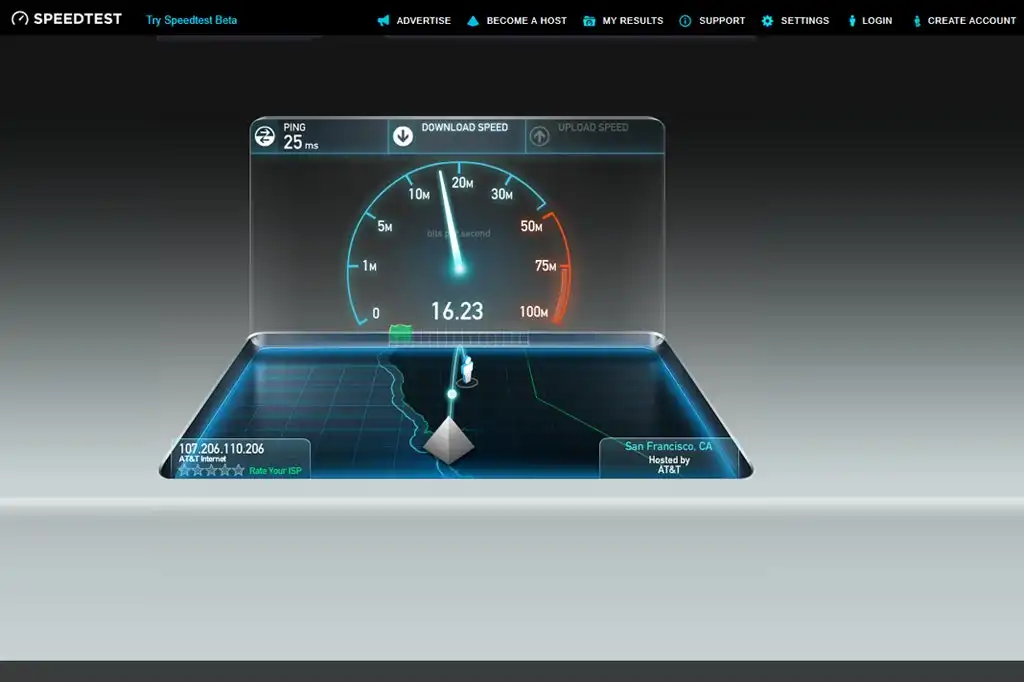
🧩 2. Core Web Vitals = Ranking Signals
Google launched Mobilegeddon in 2015, pushing mobile-first sites up search results. Now speed matters even more. Sites failing on LCP, CLS, or INP risk lower rankings. (Google for Developers)
Example 3: Vodafone, Yelp, eBay, and others shaved milliseconds and saw bounce rate drop—and conversion rise. (Conductor)

🛠️ 3. How I Fix PageSpeed Problems (Funny with Soap-Level Clarity)
Alright, let’s talk about how I tackle slow websites—without sounding like your IT cousin who talks in code and disappears when things break. I treat slow sites like clogged sinks: I find the junk, clear the mess, and make it flow fast. Here’s my process (yes, it’s nerdy—but I’ll keep it fun).
🕵️♂️ Step 1: The Investigation (AKA “CSI: Slow Page Edition”)
I start with the usual suspects:
- Google PageSpeed Insights – tells me what’s broken
- Lighthouse (in Chrome DevTools) – for lab testing the site’s brainpower
- GTMetrix – for the juicy, technical under-the-hood gossip
I plug your site in, and these tools basically scream “your images are HUGE” or “JavaScript is doing the absolute most.” That’s when I roll up my sleeves.
🧼 Step 2: Clean the Junk
Here’s how I fix what those tools expose:
📦 Compress Images (Because size does matter)
Some folks upload billboard-sized images and wonder why their site moves like a dial-up modem. I shrink them down using tools like TinyPNG or ImageOptim—without turning your gorgeous product pics into pixelated potatoes.
✂️ Minify CSS and JavaScript (Trim the fat)
Imagine if your code were a soap opera script—minification cuts out all the “dramatic pauses” (a.k.a. unnecessary spaces and comments). I squish it down so it loads faster. Don’t worry, the browser still understands it. It’s just… less dramatic.
🔂 Enable Browser Caching (Remember me?)
Instead of reloading your whole site every time someone visits, caching lets browsers keep key files saved for next time. It’s like your browser saying, “I’ve seen this show before—let me skip the intro.”
🦥 Lazy Loading (Don’t show everything at once)
Why load 20 images all at once if the visitor only sees the top 2? Lazy loading waits to load images until you scroll down to them. It’s efficient—and way less needy.
⚡ Improve LCP (Make the first thing show up fast)
LCP = Largest Contentful Paint = the big chunk that loads first. If your site takes forever to display its hero image or main heading, that’s an LCP issue. I fix that by loading critical content first and deferring the rest.
📣 All in Plain English (No Techie Translator Needed)
I explain every fix in everyday language—because if your SEO guy can’t explain what he’s doing like he’s talking to his grandma, he probably doesn’t understand it himself. My mission? Make your site fast and make you feel smart about it.
Some Resources for Super-Charged Speed
Want to geek deeper? I’ve got you covered:
- On insights.ookhin4.com: check our article on [speed best practices].
- On lookhin4.com: resources on [Core Web Vitals optimization].
Also, Google explains how PageSpeed Insights works here: official docs on field vs lab data. (Marketing Insider Group, Google for Developers, Wikipedia)
Think with Google shows how even tiny speed improvements help revenue and engagement. (Marketing Insider Group)
✅ Top Tips at a Glance
- Under 2 seconds load time = conversion superhero.
- Bounce shoots up if your page drags past 3–5 seconds.
- Core Web Vitals are ranking factors now.
- Use Google PageSpeed tools—and act on the recommendations.
Conclusion
If your site loads like molasses, Google will trash it—and users will bounce. Speed is SEO gold. Nail mobile-first performance, Core Web Vitals, and fast loading times to rank better, convert more, and keep users happy.
Ready to pump up your PageSpeed? I can audit, optimize, and make your site launch like a rocket. Just reach out! 🚀
Rlated Articles
How Your Website Looks on a Phone Can Make or Break Your SEO
Web Page Planning Made Easy: Free Templates for Information Models








