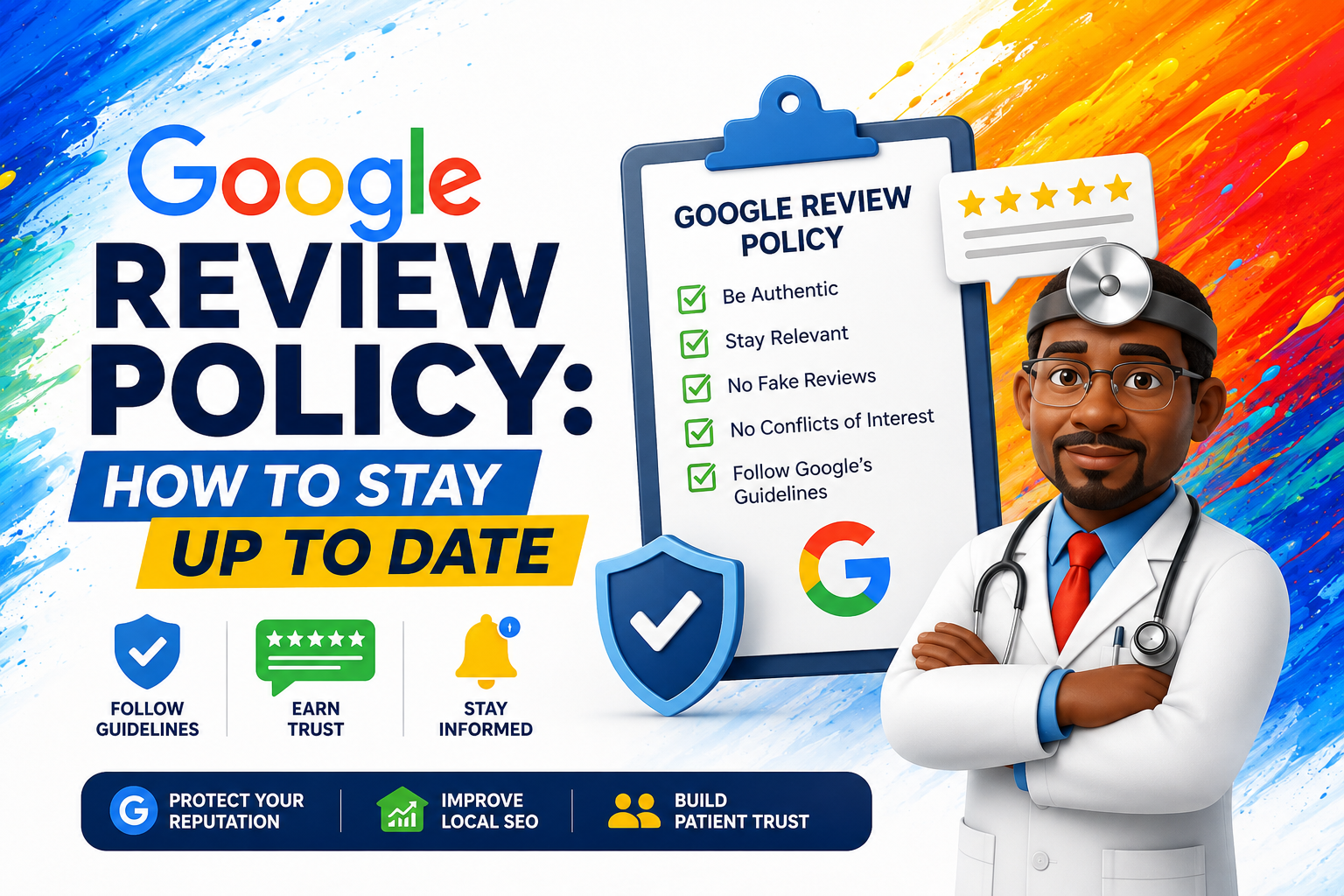
One fake review may seem harmless, but it can damage trust, reduce customer confidence, and put your Google Business Profile at risk.
Understanding Google review policy is essential for any business that relies on Google Search, Google Maps, and local SEO to attract customers. Reviews can build trust, improve visibility, and influence buying decisions—but only when they follow Google’s rules.
Google says reviews and ratings should reflect a genuine experience with a business and remain unbiased. Content that violates Google’s policies may be removed, and serious violations can lead to profile restrictions.
Google review policy is Google’s set of rules for customer reviews on Google Search and Maps. It requires reviews to be genuine, based on real customer experiences, and free from fake engagement, incentives, conflicts of interest, spam, harassment, or misleading content. Businesses can ask customers for reviews, but they should not buy reviews, offer rewards, review-gate, or pressure customers to leave only positive feedback.

Why Google Review Policy Matters for Small Businesses
Google reviews are more than public comments. They act as trust signals for potential customers. When someone searches for a local service, they often compare ratings, review quantity, review freshness, and owner responses before choosing a business.
Following Google review policy helps your business:
Create a stronger reputation strategy.
- Protect its Google Business Profile
- Build real customer trust
- Avoid fake review penalties
- Improve long-term local SEO
For businesses that need help managing reviews safely, this is where a Google Review Management Service for Small Businesses can be naturally introduced.
What Google Allows: Safe Review Practices
Google allows businesses to ask real customers for reviews, as long as the request is fair, honest, and not manipulative.
Safe practices include:
- Asking all customers for feedback
- Sending a direct Google review link
- Responding to both positive and negative reviews
- Thanking customers for honest feedback
- Using reviews to improve service quality
Google’s Business Profile Help Center also includes guidance for managing reviews and improving local ranking.
If you want a complete reputation strategy, read our guide on How to Ask Customers for Reviews.
What Google Does Not Allow
Google does not allow reviews that manipulate ratings or mislead users. This includes fake engagement, conflicts of interest, irrelevant content, offensive content, impersonation, and other restricted content. (Google Help)
Businesses should avoid:
- Buying fake reviews
- Offering discounts or gifts for reviews
- Asking only happy customers to leave reviews
- Posting reviews from employees or owners
- Using review farms or fake accounts
- Pressuring customers to change negative reviews
Some businesses search for ways to Buy Google Reviews, but this can violate Google review policy and harm long-term trust.

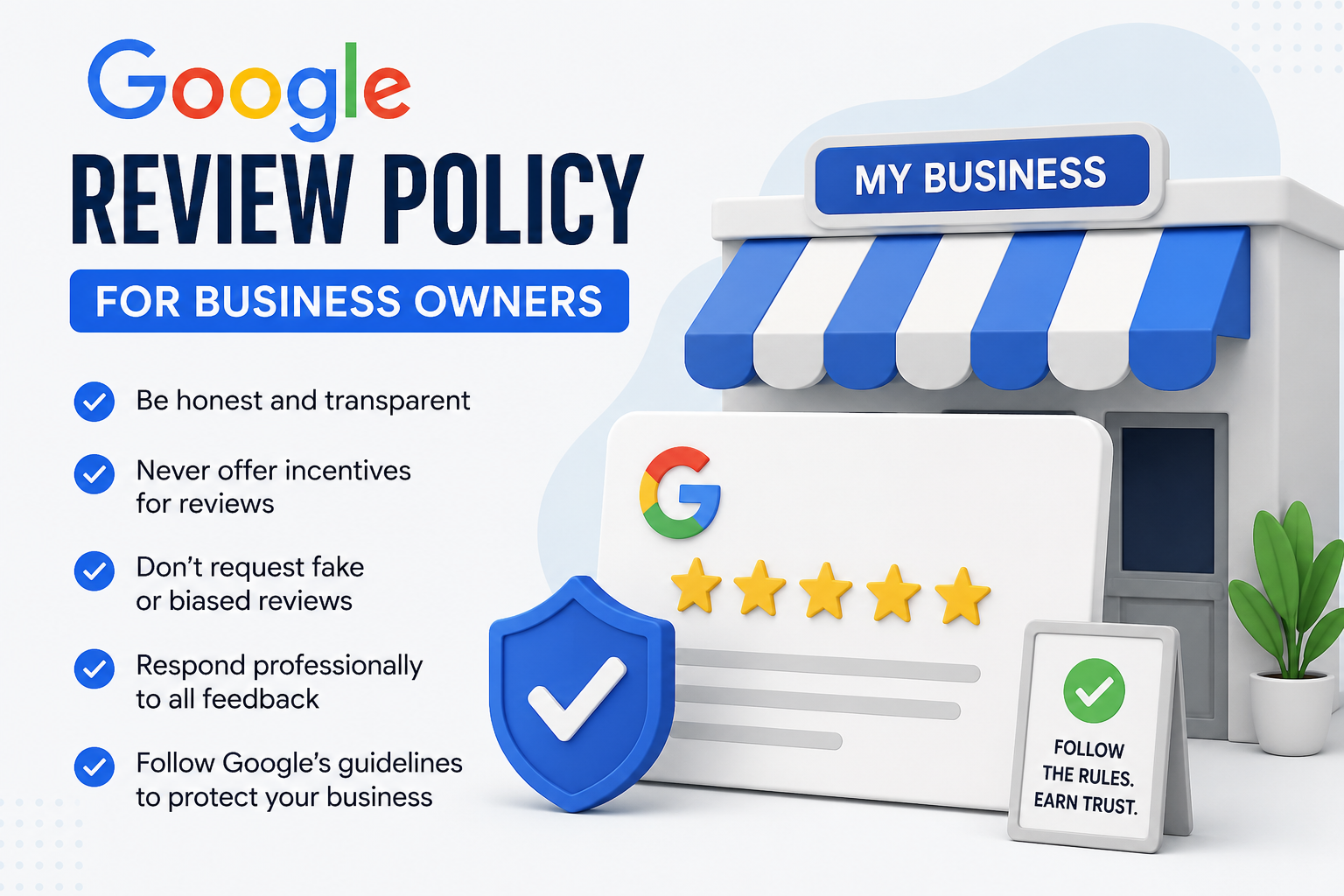
Google Review Policy for Business Owners
Google’s review policies help keep reviews honest, trustworthy, and useful for customers. Business owners should understand what is allowed, avoid requesting fake reviews, never offer incentives, and respond professionally to feedback. Following Google’s guidelines helps protect your Google Business Profile, maintain customer trust, and support stronger Local SEO rankings over time.
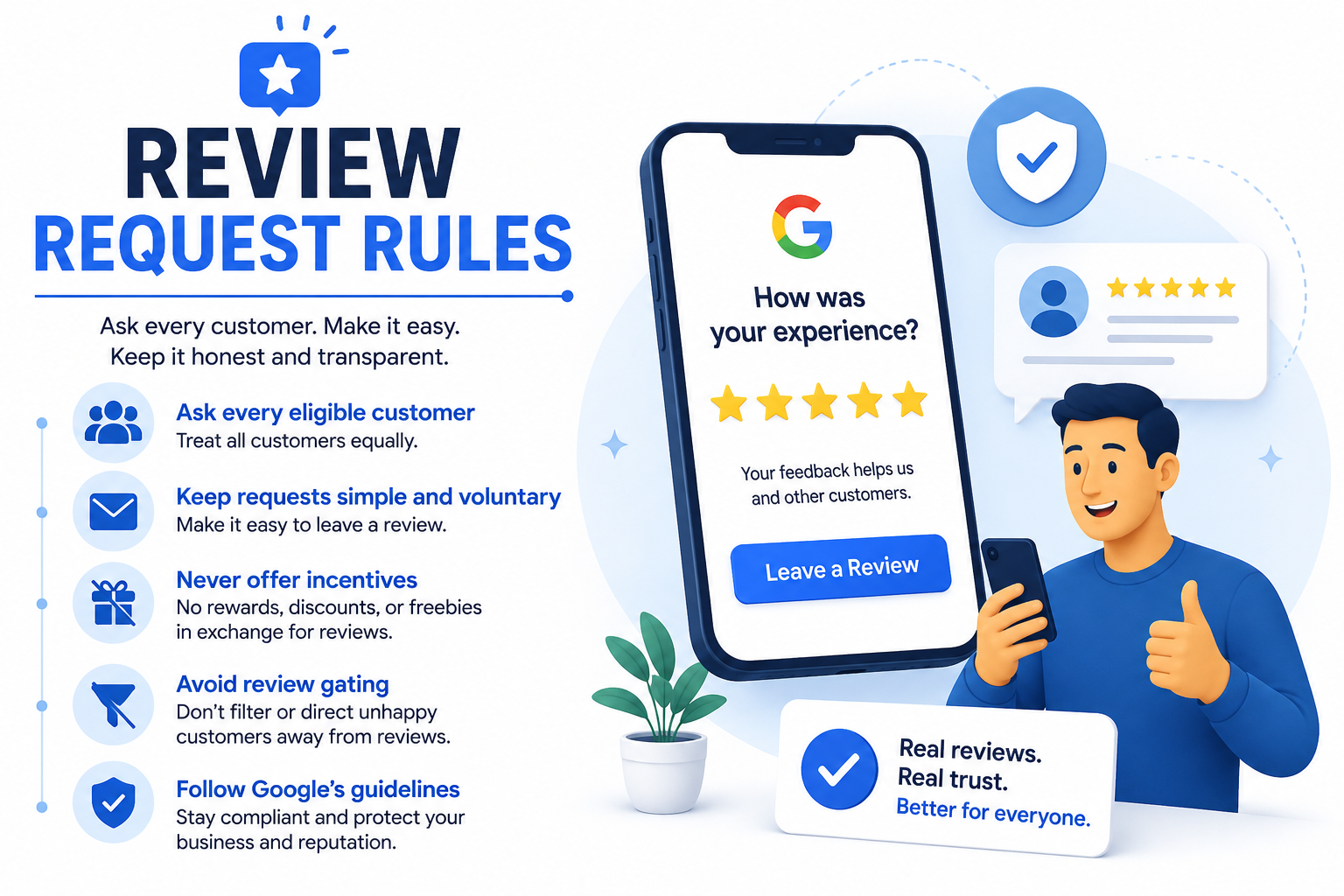
Review Request Rules
Google allows businesses to ask customers for reviews, but every request should be honest, voluntary, and free from pressure or incentives. Ask every eligible customer equally, avoid review gating, and never offer rewards in exchange for positive feedback. A consistent, compliant review request process helps build trust, earn authentic reviews, and strengthen your local search visibility.
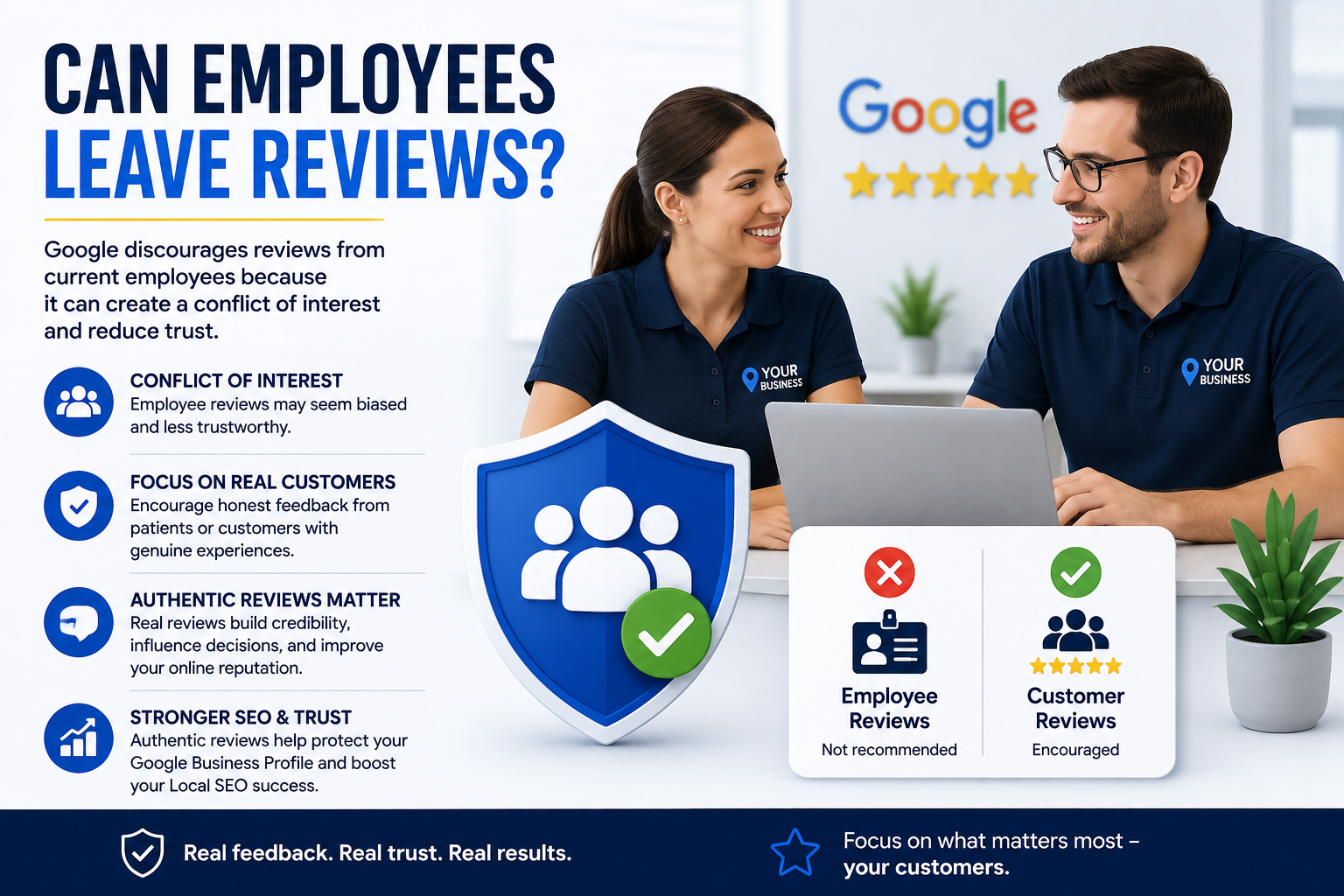
Can Employees Leave Reviews?
Google discourages reviews from current employees because they may create a conflict of interest and reduce trust in the review system. Instead, focus on collecting honest feedback from real customers or patients with genuine experiences. Authentic reviews are more valuable, help protect your Business Profile, and support long-term Local SEO success.
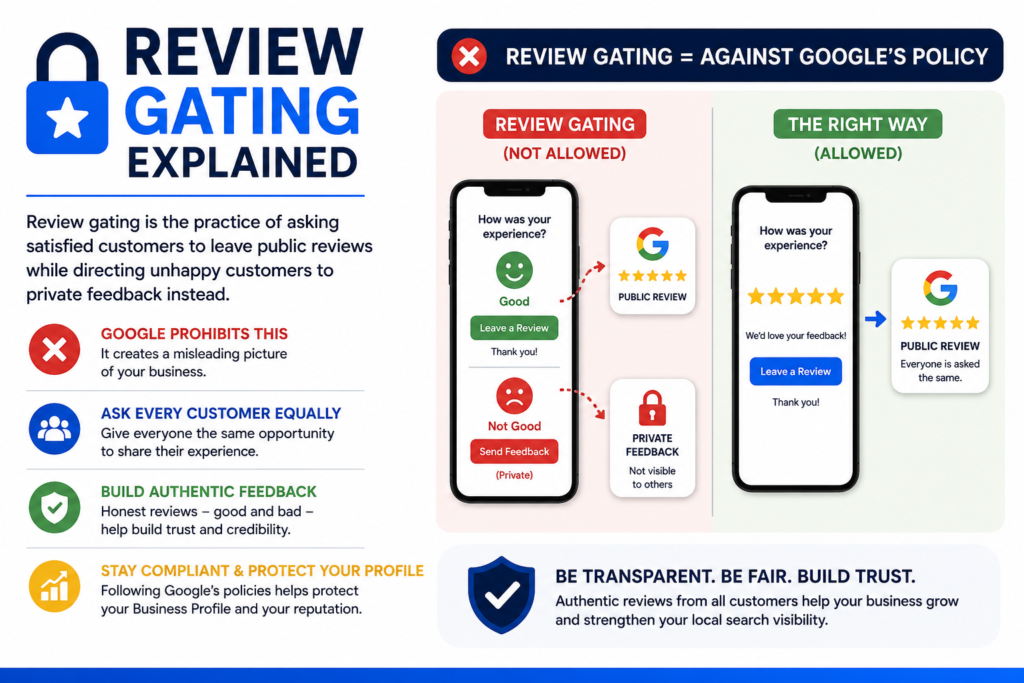
Review Gating Explained
Review gating is the practice of asking satisfied customers to leave public reviews while directing unhappy customers to private feedback instead. Google prohibits this because it creates a misleading picture of a business. Ask every customer for a review equally to build authentic feedback, maintain compliance, and protect your Google Business Profile.

Can You Ask Customers for Google Reviews?
Yes, businesses can ask customers for Google reviews. However, the request should be honest and neutral. You should not tell customers what rating to leave, offer rewards, or only ask customers who had a positive experience.
A safe request sounds like this:
“Thank you for choosing our business. We’d appreciate your honest feedback on Google so we can continue improving our service.”
This keeps the request simple, fair, and policy-friendly.

Can You Offer Incentives for Google Reviews?
No. Offering money, discounts, gifts, loyalty points, or special treatment in exchange for reviews can be considered fake engagement or manipulation.
Even if the review is from a real customer, incentives can make the review biased. Google’s policies focus on keeping reviews genuine and trustworthy.

Is Review Gating Against Google Review Policy?
Yes, review gating is risky and should be avoided. Review gating means filtering customers before asking for a public review. For example, a business may first ask whether a customer had a good or bad experience, then only send happy customers to Google.
This creates a misleading review profile because it hides negative experiences and pushes only positive ones.
Instead, ask all customers for honest feedback.
What Counts as a Fake Google Review?
A fake Google review is any review that does not reflect a real, honest customer experience.
Examples include:
| Fake Review Type | Why It Violates Policy |
|---|---|
| Paid review | It manipulates trust |
| Employee review | It creates a conflict of interest |
| Competitor review | It may be deceptive or biased |
| AI-generated review | It may not reflect a real experience |
| Review from someone who never visited | It is not genuine |
Google continues to strengthen its systems to detect suspicious reviews, fake engagement, and misleading edits on Maps.

How Google Review Policy Affects Buyer Behavior
Modern Buyer Behavior is strongly shaped by online reviews. A customer may not know your business personally, but they can quickly judge your credibility by reading your Google reviews.
A Good Review can help customers feel confident. However, reviews look stronger when they are recent, detailed, and supported by business responses.
Learn more about improving customer trust in our article on 5-Star Google Reviews.

How Google Reviews Can Enhance Website Traffic
Google reviews can indirectly help Enhance Website Traffic by improving trust and local visibility. When customers see strong reviews on your Google Business Profile, they are more likely to click your website, call your business, or request directions.
For more traffic strategies, read our full guide on Enhance Website Traffic.

Can Negative Google Reviews Be Removed?
Negative reviews cannot be removed simply because a business dislikes them. Google may remove a review only if it violates policy.
You can report reviews that include:
- Fake experiences
- Hate speech
- Personal information
- Harassment
- Spam
- Conflict of interest
- Irrelevant content
Google provides a process for reporting inappropriate reviews from a Business Profile or Google Maps.
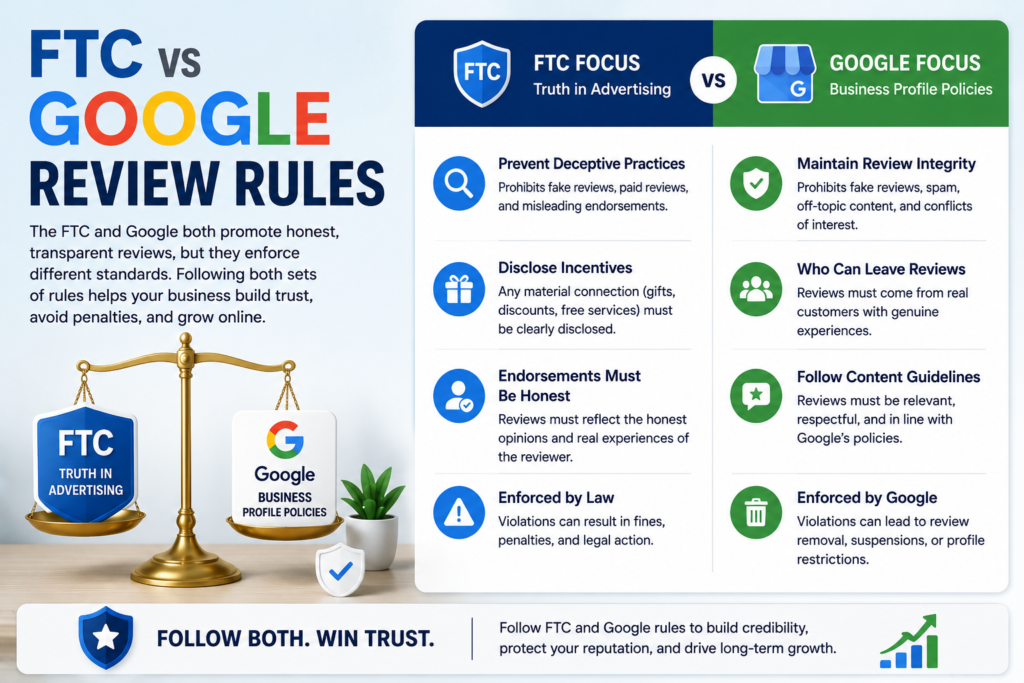
FTC vs Google Review Rules
The FTC and Google both promote honest, transparent reviews, but they enforce different standards. The FTC focuses on preventing deceptive endorsements, fake reviews, and undisclosed incentives, while Google governs how reviews appear on Business Profiles. Following both sets of rules helps businesses build credibility, avoid penalties, and maintain a trustworthy online reputation.
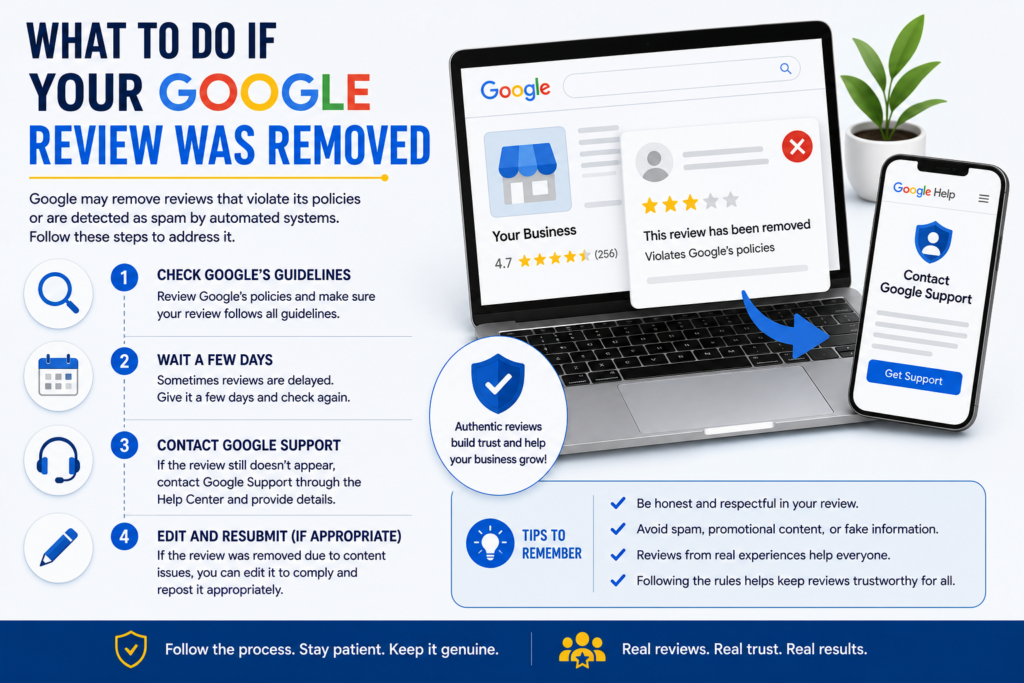
What To Do If Your Google Review Was Removed
Google may remove reviews that violate its policies or are detected as spam by automated systems. If your review disappears, first confirm it follows Google’s guidelines, then wait a few days in case of a temporary delay. If it still doesn’t appear, contact Google Support or ask the reviewer to edit and resubmit it if appropriate.
How to Respond to Reviews Without Breaking Policy
Responding to reviews is one of the safest ways to build trust. Your responses should be polite, professional, and helpful.
For positive reviews:
“Thank you for your kind feedback. We’re glad you had a great experience with our team.”
For negative reviews:
“We’re sorry to hear about your experience. Please contact us directly so we can better understand what happened and work toward a solution.”
Avoid arguing, sharing private customer details, or accusing the reviewer publicly.
How to Improve Google Star Rating the Right Way
The best way to improve Google star rating is to deliver better service and ask customers for honest reviews consistently.
Do this:
- Ask every customer fairly
- Make the review process simple
- Respond to all reviews
- Fix repeated service issues
- Train your team on customer experience
- Monitor reviews weekly
Don’t try shortcuts. A strong rating built on real feedback is more valuable than a perfect-looking rating that customers don’t trust.
Google Review Policy Checklist
Use this quick checklist to ensure your review strategy complies with Google’s guidelines and supports long-term reputation growth.
Review Compliance Checklist
☐ Ask real customers for honest feedback
☐ Request reviews from all customers, not just happy ones
☐ Avoid offering discounts, gifts, or incentives in exchange for reviews
☐ Never purchase fake reviews
☐ Do not ask employees, family members, or business partners to leave reviews
☐ Avoid review gating or filtering customers before sending review requests
☐ Use accurate business information across your Google Business Profile
☐ Monitor reviews regularly for policy violations or suspicious activity
☐ Respond professionally to both positive and negative reviews
☐ Report reviews that clearly violate Google’s policies
☐ Create a consistent process for requesting reviews after customer interactions
☐ Follow both Google’s review policies and FTC endorsement guidelines
☐ Track review growth as part of your local SEO strategy
☐ Use reviews to improve trust, website conversion rates, and customer engagement
Understanding Google’s review policies is only the first step. The next challenge is creating a repeatable system that generates reviews consistently while remaining compliant with Google’s guidelines. Learn how a Google review management strategy can help you earn more reviews, improve local SEO, and increase website conversions.


FAQs About Google Review Policy
1. What is Google review policy?
Google review policy is a set of rules that explains what types of reviews are allowed on Google Search and Maps. Reviews must be genuine, relevant, unbiased, and based on real customer experiences.
2. Can I ask customers for Google reviews?
Yes. You can ask customers for reviews, but the request should be neutral. Do not pressure customers to leave only positive reviews.
3. Can I buy Google reviews?
No. Buying Google reviews can violate Google policy because it creates fake or misleading engagement.
4. Can employees leave Google reviews?
Employees should not review their own workplace because it creates a conflict of interest.
5. Can I remove a bad Google review?
You can report a bad review only if it violates Google policy. Google usually will not remove a review just because it is negative.
6. Do Google reviews help SEO?
Google reviews can support local SEO by improving trust, engagement, and customer actions on your Business Profile.
7. What happens if a business violates Google review policy?
Google may remove reviews, restrict content, block new reviews, or take action against the Business Profile depending on the violation.
8. How often should I ask for reviews?
Ask consistently after real customer interactions. A steady flow of honest reviews looks more natural than a sudden spike.

Conclusion
Google review policy is not just a rulebook. It is a roadmap for building trust the right way. For small businesses, reviews can influence search visibility, customer confidence, website traffic, and sales. But those benefits only last when reviews are authentic, unbiased, and managed consistently.
The safest approach is simple: ask real customers for honest feedback, respond professionally, avoid incentives, never buy reviews, and report only the reviews that clearly violate Google’s policies.
When you follow Google review policy, your business builds a reputation that customers can believe in. That trust is what turns searchers into visitors, visitors into leads, and leads into loyal customers.

- Google Review Removal Service That Protects Your Reputation and Builds Trust
- Google Review Management Agency That Helps Businesses Build Trust and Get More Customers
- How to Get New Patients in New York With Google Reviews
- How Accepted Insurance Plans Can Strengthen Medical Local SEO
- Brooklyn Nursing Home Marketing in 2026: How to Turn Google Searches Into More Admissions