- What Is a Virtual Assistant?
- Why Businesses Hire Virtual Assistants
- What Task Can a Virtual Assistant Do?
- Tasks a Virtual Assistant Usually Should Not Do
- How to Decide What to Delegate
- Tools Virtual Assistants Commonly Use
- Benefits of Working With a Virtual Assistant
- Tips for Working With a Virtual Assistant Successfully
- Conclusion
If you have ever felt buried in emails, calendar updates, customer messages, or small daily tasks that eat up your time, you are not alone. That is exactly why more businesses and solo entrepreneurs are asking, what task can a virtual assistant do?
A virtual assistant can handle a wide range of tasks that keep your business moving without you having to do every little thing yourself. From admin work to customer support, content help, research, and scheduling, a good virtual assistant can save time, reduce stress, and help you focus on the work that actually grows your business.
In this guide, we’ll break down:
- what a virtual assistant is
- what task can a virtual assistant do
- the most common services virtual assistants provide
- how to decide which tasks to delegate
- how virtual assistants help businesses work smarter
Let’s get into it.

What Is a Virtual Assistant?
A virtual assistant, often called a VA, is a remote professional who helps with business or personal tasks from a different location. Instead of working in your office, they usually work online and communicate through email, chat, video calls, and project tools.
Virtual assistants can work part time, full time, or on a freelance basis. Some focus on general admin support, while others specialize in areas like marketing, bookkeeping, customer service, or social media.
Because they work remotely, businesses often use tools like Google Workspace, Trello, and Slack to stay connected and manage tasks.
Why Businesses Hire Virtual Assistants

Many businesses hire virtual assistants because they need help but do not want to hire a full in house employee right away.
A virtual assistant can help with:
- saving time on repetitive work
- lowering overhead costs
- improving organization
- keeping up with customer communication
- freeing up the business owner to focus on growth
For many small business owners, a VA is one of the easiest ways to get support without building a full team.
What Task Can a Virtual Assistant Do?

If you are wondering what task can a virtual assistant do, the answer is: quite a lot.
Virtual assistants can usually handle daily operations, admin work, support tasks, and many digital business needs.
Here are the most common categories.
Administrative Tasks
Administrative work is one of the biggest areas where virtual assistants help.
Common admin tasks include:
- managing emails
- scheduling appointments
- organizing calendars
- booking travel
- data entry
- creating spreadsheets
- file organization
These tasks may seem small, but together they can take up a huge part of your day.
Customer Service Tasks
Many virtual assistants help businesses stay on top of customer communication.
They may handle:
- answering customer emails
- replying to live chat messages
- following up on inquiries
- processing simple requests
- managing appointment confirmations
This is especially useful for online businesses, service providers, and small ecommerce brands.
Social Media Support
Some virtual assistants help with social media management.
Tasks may include:
- scheduling posts
- writing captions
- replying to comments
- organizing content calendars
- researching hashtags
- collecting engagement reports
Tools like Canva and Buffer are often used for these tasks.
Content and Marketing Support
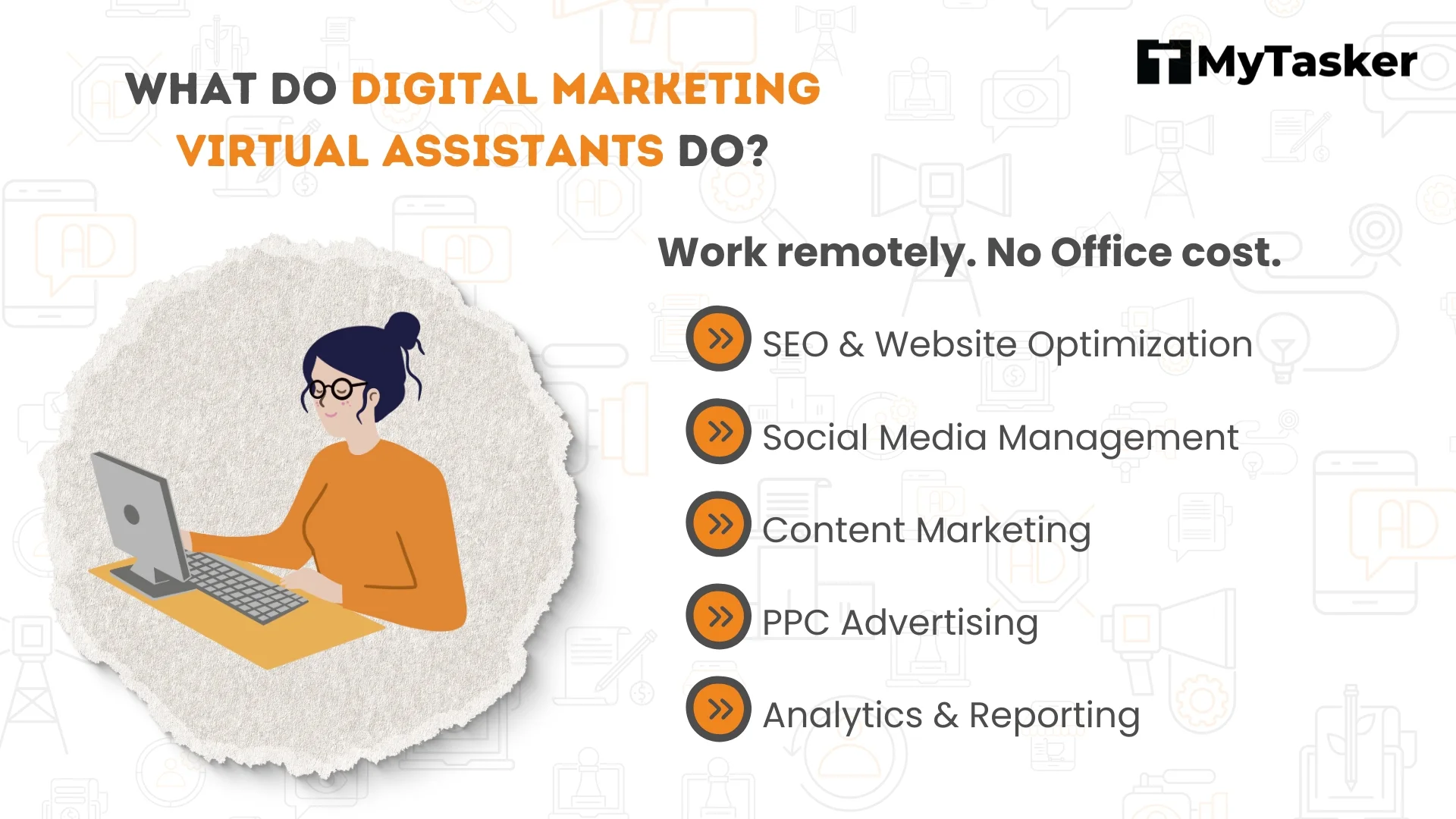
A virtual assistant can also support content and marketing tasks, especially if they have experience in digital marketing.
They may help with:
- formatting blog posts
- uploading website content
- creating email newsletters
- basic keyword research
- proofreading content
- updating product descriptions
- organizing lead lists
This kind of support can keep your marketing moving without requiring you to handle every detail alone.
Research Tasks
Research is another area that many virtual assistants can handle well.
A VA might help with:
- competitor research
- product research
- lead generation research
- market research
- finding contact information
- collecting pricing details
This can save business owners hours every week.
Ecommerce Tasks
For online stores, a virtual assistant can support daily shop operations.
Tasks may include:
- updating product listings
- writing product descriptions
- checking inventory information
- managing order updates
- answering customer questions
- tracking returns or support tickets
Many ecommerce businesses use tools like Shopify to manage these workflows.
Personal Assistance Tasks
Some virtual assistants also help with personal tasks, depending on the arrangement.
These may include:
- making reservations
- organizing travel plans
- managing personal calendars
- sending reminders
- handling online purchases
For busy founders or executives, this kind of help can make a big difference.
Tasks a Virtual Assistant Usually Should Not Do
Just because a virtual assistant can help with many things does not mean they should handle every task in your business.
Tasks that usually require special licensing, deep expertise, or legal responsibility may not be right for a general VA unless they are specifically trained.
Examples include:
- legal advice
- advanced accounting without qualifications
- high level strategy without experience
- sensitive cybersecurity work
- medical or regulated tasks without proper credentials
It is always best to match the task to the person’s actual skill level.
How to Decide What to Delegate

A simple way to decide what to give a virtual assistant is to look at the tasks you repeat every week.
Start by asking:
- What tasks take too much of my time?
- What work is repetitive?
- What can someone else do with a clear process?
- What work does not require me personally?
The best tasks to delegate are usually:
- repeatable
- time consuming
- process driven
- easy to document
That way, the VA can take over smoothly.
Tools Virtual Assistants Commonly Use
Virtual assistants often use digital tools to stay organized and work efficiently.
Popular tools include:
- Google Workspace for documents, email, and calendars
- Slack for communication
- Trello for task management
- Zoom for meetings
- Canva for basic design
- Shopify for ecommerce support
These tools help make remote work smoother for both the assistant and the business owner.
Benefits of Working With a Virtual Assistant

Hiring a virtual assistant can create major benefits for growing businesses.
More Time
You can spend less time on small tasks and more time on strategy, sales, or client work.
Better Focus
Delegating routine work helps you stay focused on high value tasks.
Lower Stress
A VA can take repetitive work off your plate and make daily operations feel more manageable.
Scalability
A virtual assistant can grow with your business and take on more tasks as needed.
Tips for Working With a Virtual Assistant Successfully
To get the best results, set your virtual assistant up for success.
Give Clear Instructions
Clear directions reduce mistakes and confusion.
Document Repeating Tasks
Simple checklists and process notes make delegation easier.
Start Small
Begin with a few easy tasks before handing off bigger responsibilities.
Use the Right Tools
Shared tools help both of you stay organized.
Communicate Regularly
Consistent communication keeps tasks moving and builds trust.
To get the best results, set your virtual assistant up for success.
Conclusion
So, what task can a virtual assistant do?
A virtual assistant can help with admin work, customer support, social media, research, ecommerce tasks, content updates, and many of the small but important jobs that keep a business running.
The right VA can save time, reduce overwhelm, and help you focus on the work that matters most.
For small business owners, solo entrepreneurs, and busy professionals, hiring a virtual assistant is often one of the smartest ways to work more efficiently without doing everything alone.

Related Articles
Best Customer Service Jobs to Delegate to a Virtual Assistant
The Truth About Outsourced Bookkeeping Services
Best Ecommerce Tasks to Delegate to a Virtual Assistant
What Tasks Can a Virtual Assistant Do for Coaches? (Simple Support Guide)
Latest Articles
-
Google Review Removal Service That Protects Your Reputation and Builds Trust
Can Negative Google Reviews Damage a Healthcare Organization? A sudden wave of negative Google reviews can seriously damage the reputation of a nursing home or medical practice. Families researching nursing homes often compare ratings, recent reviews, management responses, photographs, and overall review activity before scheduling a tour. Patients may perform the same research before choosing…
-
Google Review Management Agency That Helps Businesses Build Trust and Get More Customers
People trust Google reviews before they trust advertisements. Before contacting your business, potential customers usually search your company online and ask themselves one important question: “Can I trust this business?” That answer often comes from your reviews. Customers look at: If your business has weak reviews, outdated feedback, or unanswered complaints, customers may choose a…
-
How to Get New Patients in New York With Google Reviews
Your next patient in New York may decide whether to call your practice before ever speaking to your staff. Today, patients search, compare, and read reviews before choosing care. A 2025 survey found 84% of patients check online reviews before choosing a new healthcare provider. In 2026, 75% said they wouldn’t book with a provider…
-
How Accepted Insurance Plans Can Strengthen Medical Local SEO
When patients search for a doctor, they are not only looking for the right specialty or the closest medical office. Many also need to know whether the practice accepts their insurance. A patient might search Google for: If your website does not clearly list the insurance plans your practice accepts, Google and potential patients may…
-
Brooklyn Nursing Home Marketing in 2026: How to Turn Google Searches Into More Admissions
If you’re responsible for marketing or admissions at a nursing home, you already know how to generate business the traditional way. You know the importance of hospital relationships. You know your discharge planners, case managers, physicians, community partners, and referral sources. You know what happens to census when those relationships are strong, and you know…
-
Google Reviews and Search Console: Drive More Traffic to Your Queens Medical Practice
Google Reviews and Search Console: Drive More Traffic to Your Queens Medical Practice A patient in Queens searches Google for a family doctor, chiropractor, dentist, physical therapist, podiatrist, urgent care center, or medical specialist. Within seconds, that patient may see several practices competing for attention. The listings can look similar, but the patient still has…