


Mobile website menu labels like “Shop” might seem simple—but they’re killing your SEO, UX, and conversions. If that’s the only word in your nav bar, you’re not guiding visitors—you’re confusing them.
Think of your mobile site as the front door to your business. Your menu is the sign that tells people what they’ll find inside. If all it says is “Shop,” you’re basically slapping a vending machine on the window and hoping someone sticks around. Most won’t—they’ll bounce.
Here’s why a smarter mobile menu matters—and what to use instead.
🤔 Why Just “Shop” Isn’t Enough
Here’s the deal:
- Mobile users are task-driven. They want to find what they need fast.
- If your only option is “Shop,” you’re not guiding them. You’re confusing them.
- Plus, that single word does nothing for your SEO.
Want Google to understand your site? You need clear, descriptive navigation that tells search engines (and people) what your site is about.
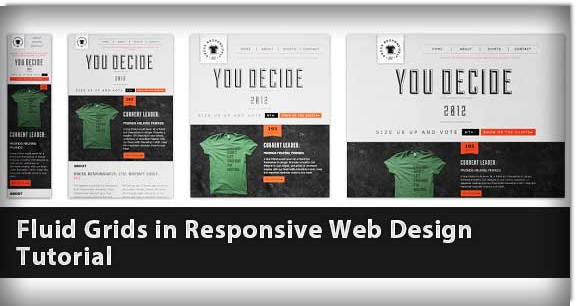
🔍 Mobile Menu Design: What Matters for SEO and User Experience
Here’s what you should focus on instead of a one-word menu:
1. Descriptive Labels Boost Rankings
Swap “Shop” for category-based labels like:
- “Shop All Hair Products”
- “Men’s Grooming”
- “Bundles & Kits”
- “New Arrivals”
Now you’ve got keywords doing double duty—helping users and ranking on Google.
2. Give People Direction
Not everyone’s ready to buy. Some want to learn first. So add:
- “About Us”
- “FAQs”
- “Blog” (yes, your blog builds trust and keeps folks on-site)
- “Track Order” or “Contact”
That’s how you create conversion paths, not dead ends.
3. Highlight Offers or Urgency
Have a promo or bestsellers page? Add it to the menu:
- “🔥 20% Off Bundles”
- “💥 Limited-Time Deals”
- “⭐ Best Sellers”
Mobile users scroll fast. Catch them before they’re gone.
📱 Web Design Tip: Mobile Menu ≠ Desktop Menu
Your mobile UX should prioritize speed, clarity, and intent. Use collapsible categories or mega menus only when necessary. Keep it clean, but not empty.
Pro tip: Use visual icons alongside words. A tiny shopping bag, question mark, or gift box can double tap the message you’re sending.
🧠 From SEO Perspective: Each Menu Item = Ranking Opportunity
Every menu item is a potential landing page. Google crawls your nav, and if all it sees is “Shop,” you’re throwing away chances to rank for:
- Niche product names
- Category-level keywords
- Long-tail phrases like “natural curly hair care kits”
Don’t miss the bag because you skipped the breadcrumbs.
✅ Mobile Menu Best Practices Checklist (2025 Edition)
Follow these mobile menu best practices to boost SEO, improve navigation UX, and support your site’s backlink strategy:
- Use 3–6 clear, focused menu items—no clutter, just intent
- Replace vague labels like “Shop” with keyword-rich phrases like “Shop Eco-Friendly Kitchenware”
- Add essential pages like “About Us,” “Blog,” or “Support”—these often attract backlinks and improve trust
- Make sure the menu is easy to tap, fast to load, and fully responsive across all devices
- Test on both iPhone and Android—don’t assume your mobile UX is universal
A smart mobile site structure does more than guide users—it helps you rank, convert, and earn authority through backlinks. Mobile Menu Best Practices Checklist
- Use 3–6 clear navigation items
- Replace vague terms like “Shop” with keyword-rich phrases
- Add helpful pages like “About,” “Blog,” or “Support”
- Make sure it’s fast, easy to tap, and loads cleanly
- Test on iPhone and Android — don’t assume it works
💬 Final Word: Your Mobile Menu Is Your Digital Elevator Pitch
Imagine someone lands on your site in line at Starbucks. You’ve got 5 seconds to make it make sense. If they only see “Shop,” you’ve said nothing.
But if they see options like “Natural Haircare,” “Starter Kits,” and “About Our Mission,” they know what you’re about—and they’re way more likely to stick around, buy, and come back.
Want Help Optimizing Your Mobile UX and SEO?
👀 Book a free web design and SEO consultation here: Lookhin4.com/calendar-consultation-free
📞 Or call: 888-630-3744
Let’s turn your mobile traffic into money—not missed opportunity.
Related Articles
📵 How to Block a Website on Mobile (iPhone & Android)
📱 T-Mobile Business Lines of Service: What Small Businesses Need to Know








